Hot July Sale: Up to 35% Off HandiFox Online and HandiFox Deskop →

Food and beverage inventory management software

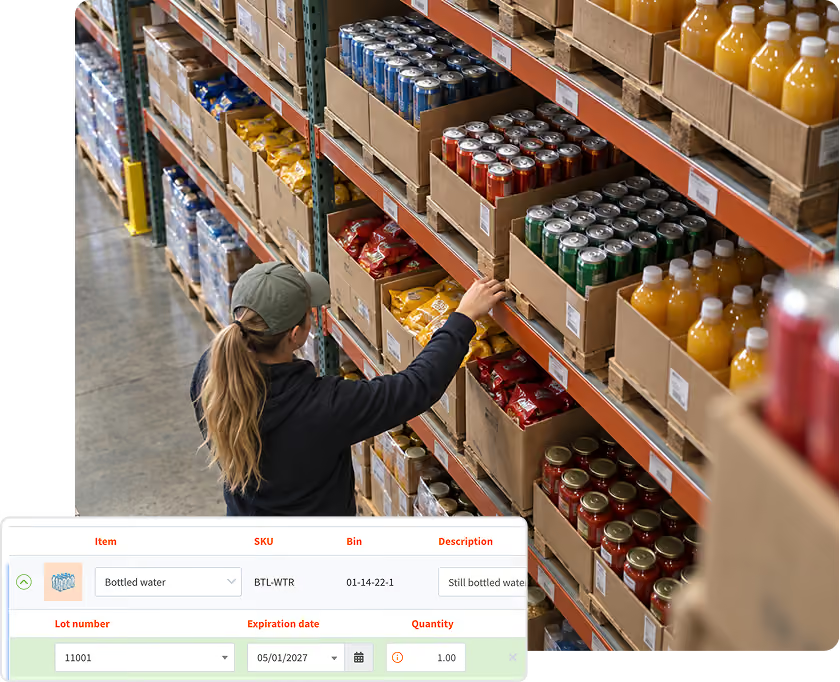
Know what is in stock, where it is, which lot it came from, and what expires first. HandiFox tracks food and beverage inventory across warehouses and vehicles, with lot and expiration data connected to your QuickBooks.
Inventory management software

What complicates food and beverage inventory control

purchase order system

Expiration dates need to stay visible. Without expiration data in the inventory record, older stock can remain on the shelf longer than intended.

Lot traceability matters when a batch is affected. When multiple deliveries are stored together, teams need a clear way to identify the relevant lot and the customers who received it.

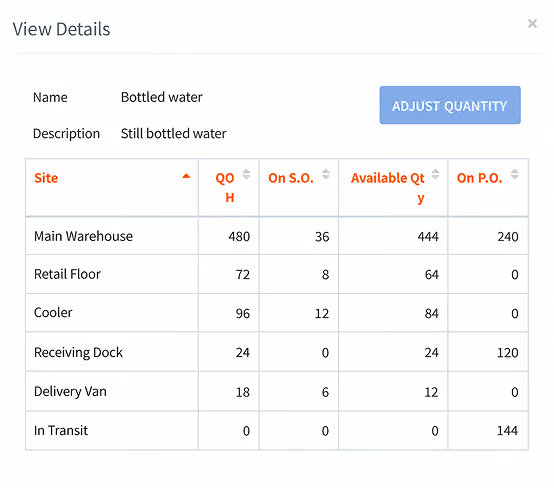
Stock is spread across different locations. Cold storage, dry storage, additional warehouses, and delivery vehicles all need accurate location-level quantities.

Double entry creates discrepancies. Recording inventory activity separately in operations and accounting can leave quantities out of sync.

See what's cooking in our food and beverage inventory app

Ship older stock first with FEFO and FIFO

Track expiration dates by lot

Record expiration dates on each lot so shelf life stays tied to the inventory record instead of a separate spreadsheet.

Use FEFO and FIFO fulfillment

Verify items by barcode during fulfillment. With FEFO, stock closest to its expiration date is picked first; with FIFO, the earliest received stock moves first.

Write off expired inventory

Remove expired or near-expiration stock from available inventory so on-hand quantities reflect sellable stock.

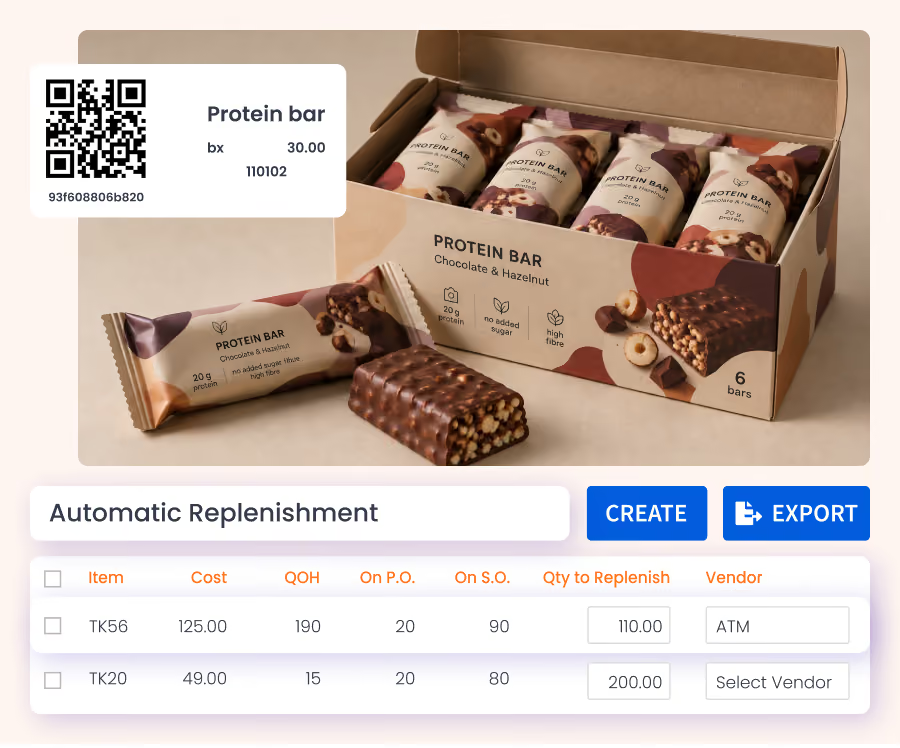
Print barcode labels for tracked items

Generate and print 1D and 2D barcode labels for lot- and expiration-tracked inventory, including items that arrive without a usable barcode..

Tools for day-to-day food and beverage inventory management

Reorder fast-moving items before stock runs low

Reorder points and desired quantity on hand

Set a reorder point and desired quantity on hand for each item and location, so replenishment can reflect different sales rates across sites.

When stock reaches the reorder point, HandiFox calculates a restocking suggestion using the desired quantity on hand and sales rate over the period you select.

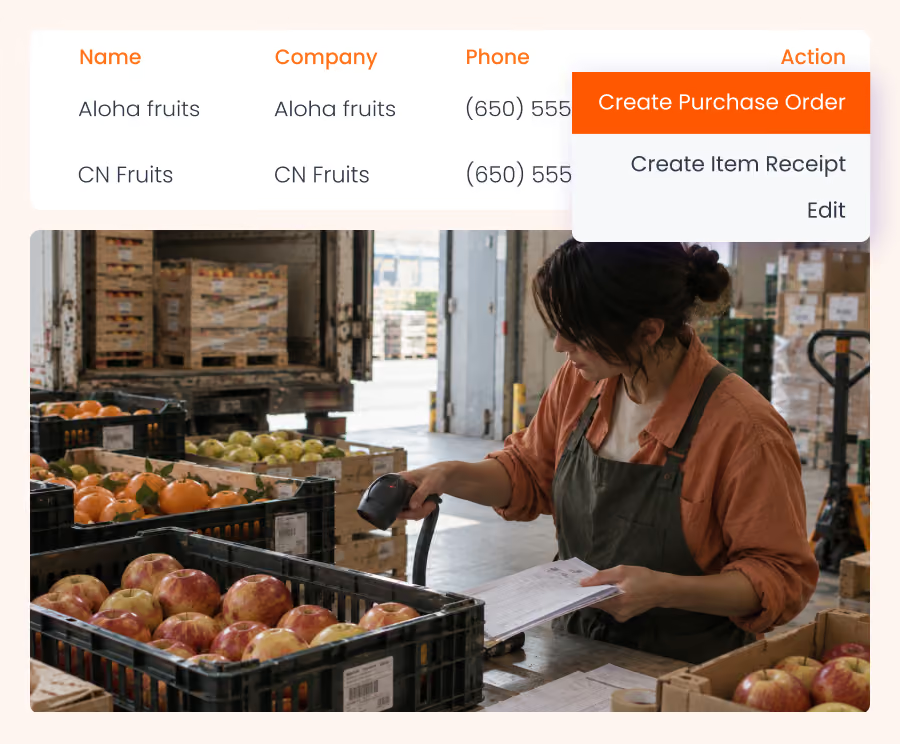
Create and send the purchase order

Turn the restocking suggestion into a prepopulated purchase order. Review the suggested quantities, make any needed adjustments, and send the order to the supplier.

purchasing and receiving facilities
accurate barcode scanner app

Compare vendor prices and order more efficiently

Alternative vendors for the same item

Assign multiple vendors to an item and compare their prices while creating the purchase order, making it easier to choose the right supplier.

Order based on demand

Use reorder points, desired quantity on hand, and recent sales rate to keep purchase quantities closer to expected demand. This can help reduce overstock and spoilage for perishable products.

Manage how products are packed, sold, and priced

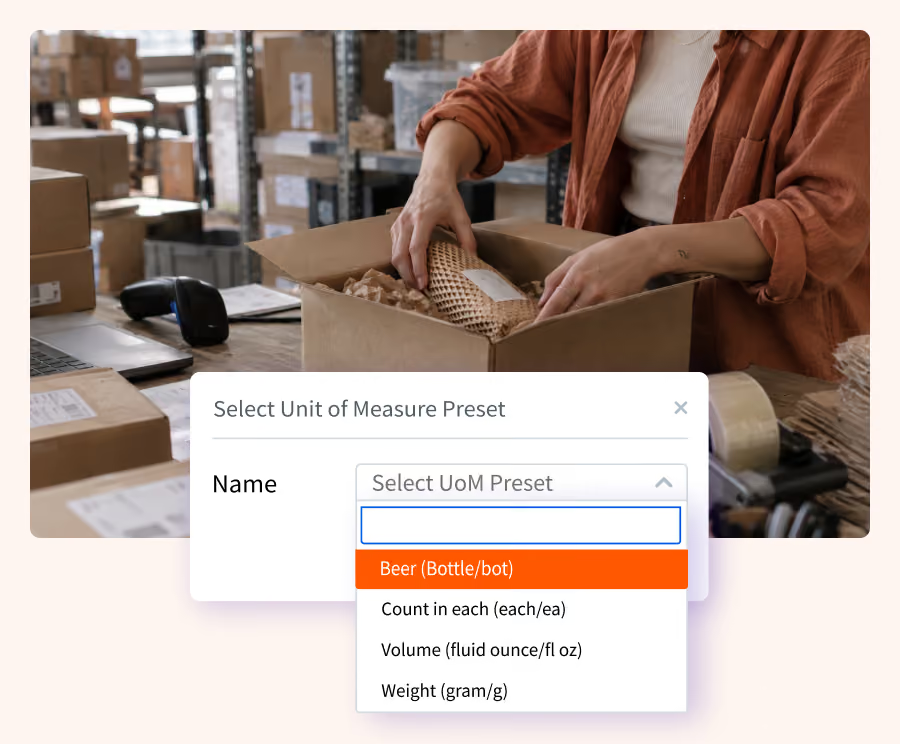
Units of measure and conversions

HandiFox lets you assign units of measure to an item and convert between them during purchasing, storage, counting, and sales.

Barcodes can also be assigned to each unit of measure, so scanning a case is recorded differently from scanning a single item.

Price levels for promotions and markdowns

Use price levels to apply different prices by product or customer, including time-limited promos and markdowns. Manage promotional pricing and short-dated inventory without changing the price manually on every order.

purchasing and receiving facilities

Manage inventory across locations and on the go

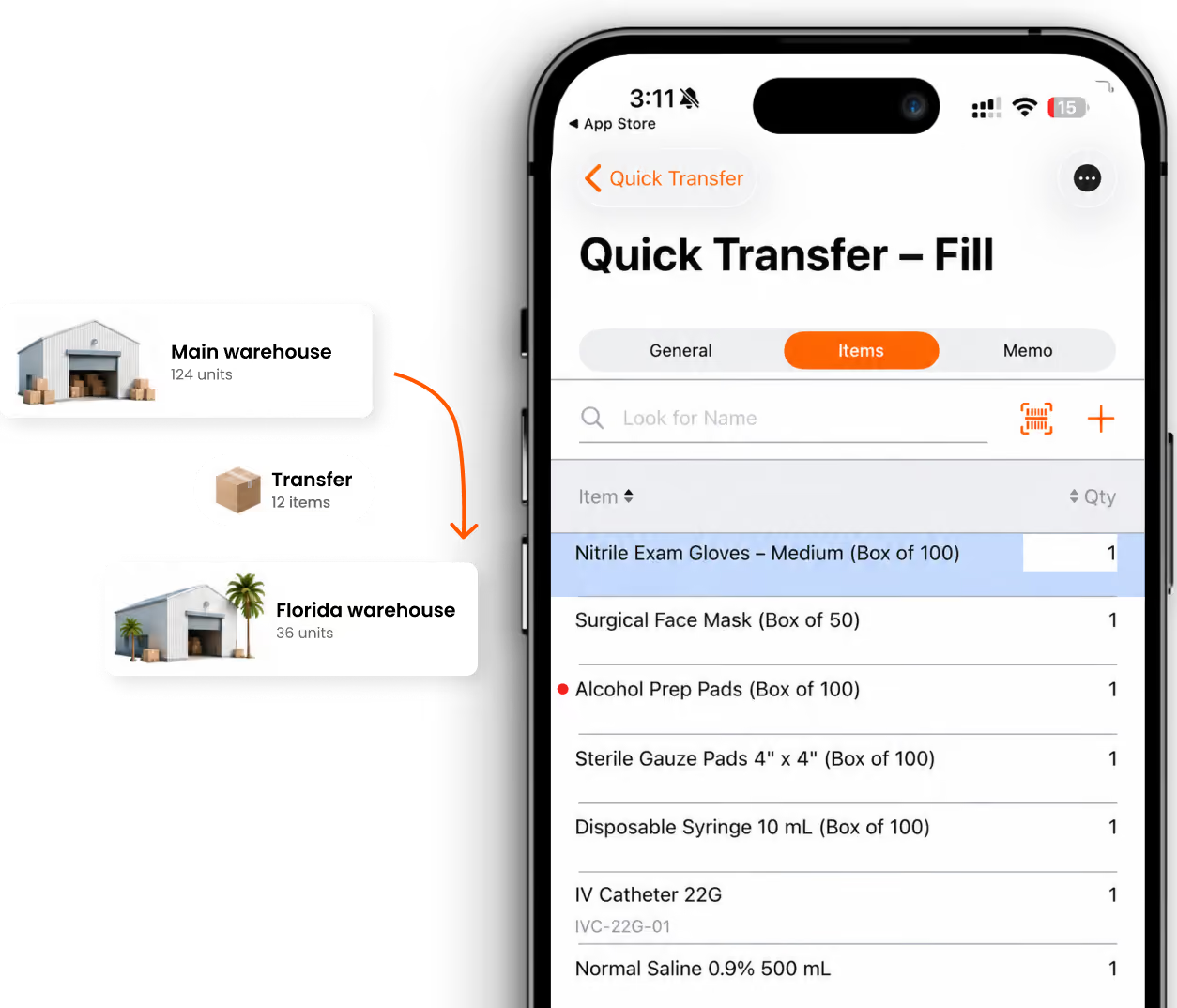
Track stock across warehouses, cold storage, and vehicles

See quantities by location alongside the company total, including inventory in warehouses, cold storage, trucks, and vans. Record transfers between locations so stock stays accurate at both the source and destination.

Work from mobile devices

Receive, count, pick, and invoice from Android or iOS devices. Most features continue to work offline, and mobile invoicing can support customer currency and electronic signatures at delivery.

Keep inventory, sales, and QuickBooks reporting in step

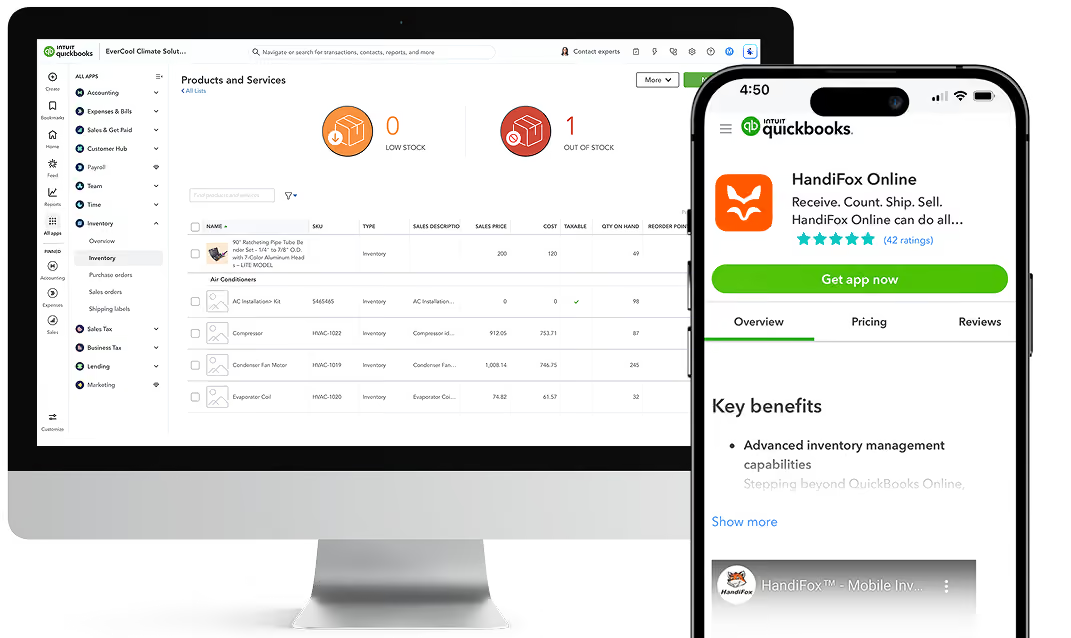
Connect the right products

HandiFox Online works with QuickBooks Online; HandiFox Desktop works with QuickBooks Desktop.

Sync data both ways

Inventory and accounting activity stays aligned across the two systems.

Keep updates current

A full synchronization runs when work is saved, with changes usually reflected right away.

Trusted by small businesses
that need inventory to stay accurate

HandiFox helps growing teams replace manual inventory work with faster, more reliable workflows connected to QuickBooks.

300+ SMBs

run inventory with HandiFox

16+ years

automating SMB inventory

4.9/5

on QuickBooks App Store

How a food wholesaler got 1,170 SKUs under control

Real-time syncing with QuickBooks is a major advantage—stock data is always up to date, easy to track, and simple to rectify

Jobin Shaji

Chief Accountant, Annlee Pvt Ltd.

The challenge

Annlee was managing more than 1,170 food and beverage SKUs across separate inventory and accounting systems, with Excel used to verify stock and resolve discrepancies.

The result
  • 1,170+ SKUs managed in one connected system
  • Lot and expiration tracking for perishable inventory
  • Units of measure built into the item setup
  • Real-time QuickBooks synchronization
With Handifox

The company moved inventory data, suppliers, customers, units of measure, and GST information into HandiFox, then added lot tracking and expiration-date control for daily operations.

What customers say about HandiFox

Kung Fu Tea
Tai H.
(Ohio, USA)
“I use HandiFox mainly for our inventory control, and its sync with QuickBooks is a bonus. It helps us identify where our stuff are and also know when we should order more.”
Lennie Ciglen Distribution Inc.
Danila Strygin
(Ohio, USA)
“I’ve been a loyal customer for years, and I continue to be impressed with HandiFox. Their team is dedicated to providing the best service possible, and it shows in every interaction. I highly recommend them to anyone in need of their services.”
Tevan Enterprises
Jessica Schlager
(Ohio, USA)
“HandiFox met almost all our needs with respect to functionality. In addition, it was very affordable for a small distributor like us. I liked the one-time licensing fee, and the cost for yearly support was much less than its competitors. I also really liked the personal service that the company gives us – my questions are always addressed very quickly, and the tech support staff is incredibly knowledgeable.”
Pop Smoke
Mark Marino
(Ohio, USA)
“Our company required a very flexible tool based on our non-traditional structure. Of the dozens of vendor products I looked at, only HandiFox offered the level of customization that met our needs. They were very informative and also helped us find the hardware to meet our needs.”

Is HandiFox a fit for your food and beverage business?

HandiFox is a good fit if you…

Wholesale or distribute food and beverage products, or manage small-batch production

Need lot and expiration tracking from receiving through fulfillment

Supply grocery stores, convenience stores, restaurants, or other business customers

Manage purchasing, inventory, fulfillment, and accounting with QuickBooks

You may need a different system if you…

Run restaurant or bar operations that depend on recipe costing and menu management

Need ingredient-level recipe costing, daily par sheets, or kitchen management

Need a point-of-sale system for a retail or hospitality operation

Need a full ERP with advanced production planning and quality management

About HandiFox

Support you can count on: real people + smart AI
HandiFox backs you with a team of inventory pros and an in-app AI guide that’s always a click away. Whether you’re stuck or scaling, help is built right into your workflow.
Automate it all: inventory, orders, and sales
Say goodbye to clunky spreadsheets. HandiFox automates stock counts, purchase orders, and sales, plus barcode and QR scanning, to keep your business humming and your hands free.
QuickBooks sync: inventory and finance in perfect step
HandiFox syncs with QuickBooks Online and QuickBooks Desktop in real time, keeping your numbers sharp and your books balanced. It’s like your inventory and accounting just became best friends (with benefits).

Food and beverage inventory FAQs

1. What does food and beverage inventory management software do?
It tracks stock through receiving, storage, fulfillment, and sale with the detail the category needs: lot numbers, expiration dates, units of measure, and quantities per location. For a distributor it replaces the spreadsheet that sits beside the accounting system.
2. How does HandiFox handle expiration dates?
Expiration dates are recorded on lots. Fulfillment then follows the method you pick — FEFO, where stock closest to its date leaves first, or FIFO, where the earliest receipt leaves first. Expired or near-expiration products can be written off, so the on-hand number matches what is sellable.
3. Can I trace a lot back to the supplier and forward to the customer?
Yes, through the Transactions by Serial/Lot Numbers report. It shows the purchase order the batch arrived on, the locations it passed through, and the sales it left on. HandiFox provides the traceability record; recall decisions and customer contact remain your process.
4. Can I buy in cases and sell in single units?
Yes. Units of measure are defined per item and converted during transactions, and barcodes can be assigned to each unit so a case is not scanned as an each.
5. Can one item have more than one supplier?
Yes. Several vendors can be assigned to the same item, and the vendor can be switched with prices compared while the purchase order is being prepared.
6. Does it work across several warehouses and delivery vehicles?
Yes. Each location holds its own quantity next to the company total, transfers are recorded at both ends, and the mobile app covers receiving, counts, picking, and invoicing away from the office.
7. Is technical support included?
Support is included with HandiFox Online plans. HandiFox Desktop support options are available separately.
8. Is this software for restaurants?
No. HandiFox is built for the distribution and wholesale side rather than restaurant back-of-house. Recipe costing, menu engineering, and plate-level food cost are outside its scope.

Know what is in stock and what expires first

Track lots and expiration dates, use FEFO or FIFO fulfillment, manage unit conversions, and keep inventory aligned with QuickBooks

Or call + 1 877 942  6343

Sizzling July savings!
Get up to 35% off HandiFox Online and HandiFox Desktop.
Save now