Hot July Sale: Up to 35% Off HandiFox Online and HandiFox Deskop →

Serial number, lot, and expiration date tracking software

Identify a single unit, follow a whole batch, and know which stock is close to its date. HandiFox records serial numbers, lot numbers, and expiration dates through receiving, transfers, counts, fulfillment, and sales.
Inventory serial number tracking

Where traceability becomes difficult in inventory management

Source details are hard to confirm. A unit may be on the shelf without a clear record of which purchase order or supplier it came from.

Lot history becomes harder to separate. When materials from several deliveries are stored together, identifying the specific lot that needs attention can take more time.

Expiration dates are easier to miss. Without clear date tracking, older stock can remain on hand longer than intended and affect inventory control.

Discrepancies take longer to investigate. Teams may need to compare transaction records manually when there is no record tied directly to the unit or lot.

Choose the right tracking method for each product

Use the tracking method that fits the product, then scan and record it as inventory moves through receiving, transfers, picking, and sales.

automated online inventory management
Serial number tracking
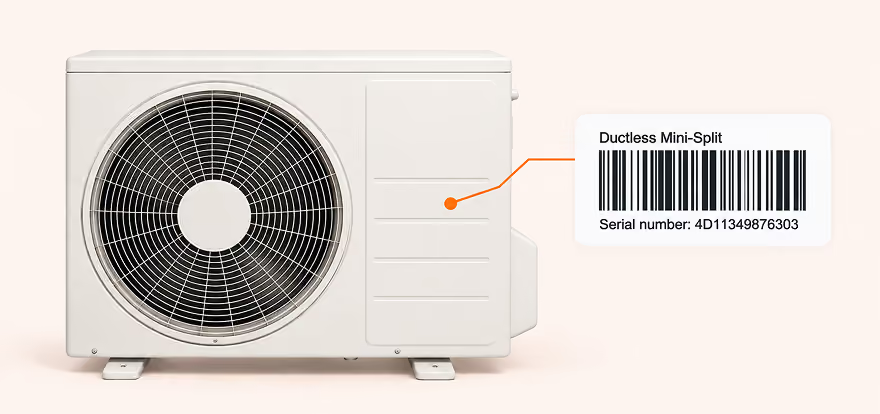
Follows individual products one by one — equipment, instruments, or other high-value devices — so you can see the history of a specific unit from receipt to sale.
automated online inventory management
Lot and batch tracking
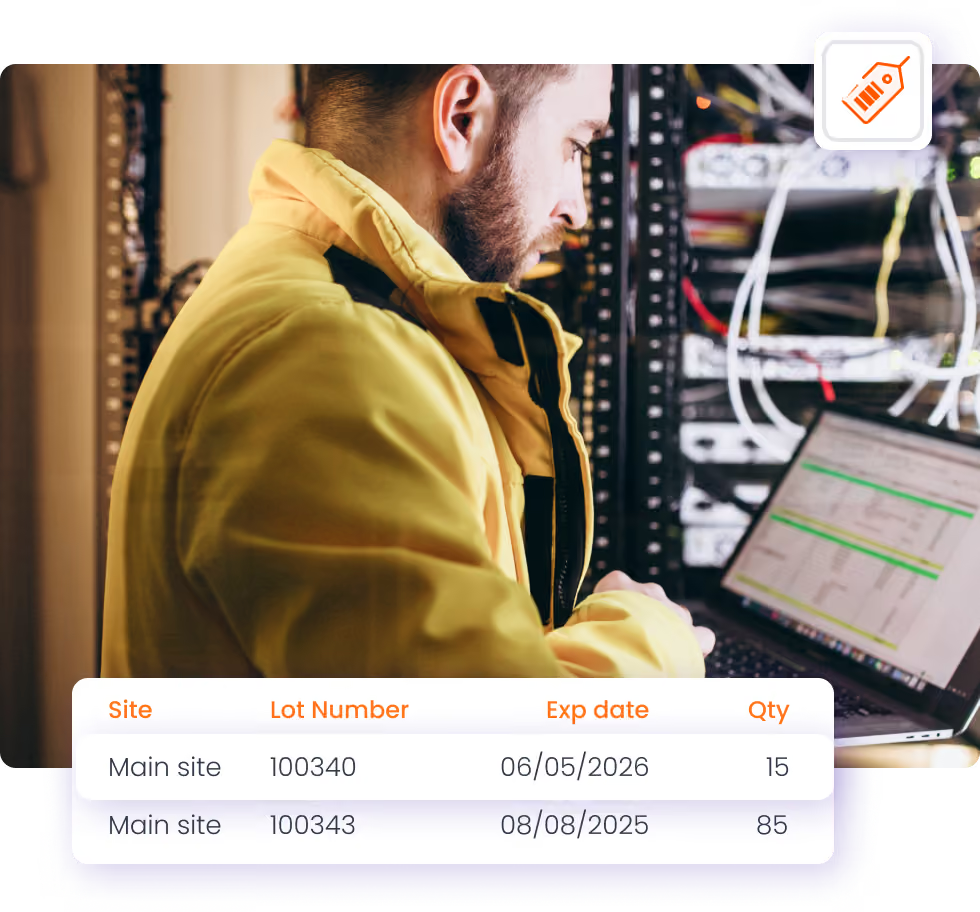
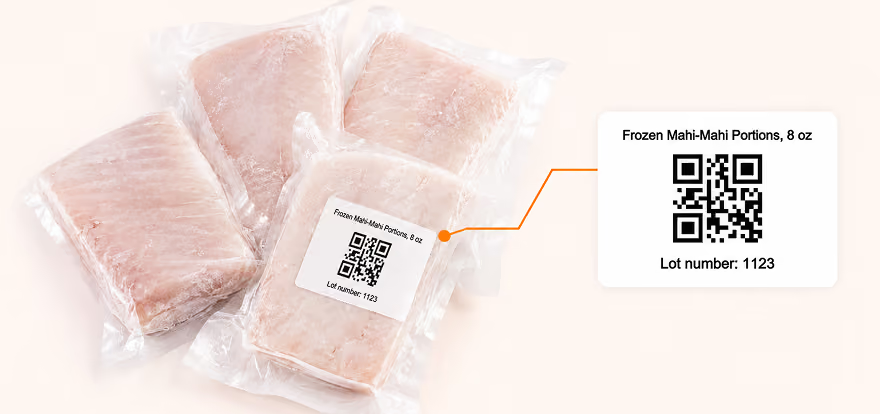
Groups products that share the same origin, supplier, or production run — food, chemicals, or components from one delivery — and keeps expiration dates on the lot, making it easier to trace inventory by lot number or batch number.

Track items through everyday operations

Scan serial and lot number tracked items to receive, transfer, count, pick, pack, and sell them. The number travels with the item through each step rather than being written down once and forgotten.

Label and scan at the point of work

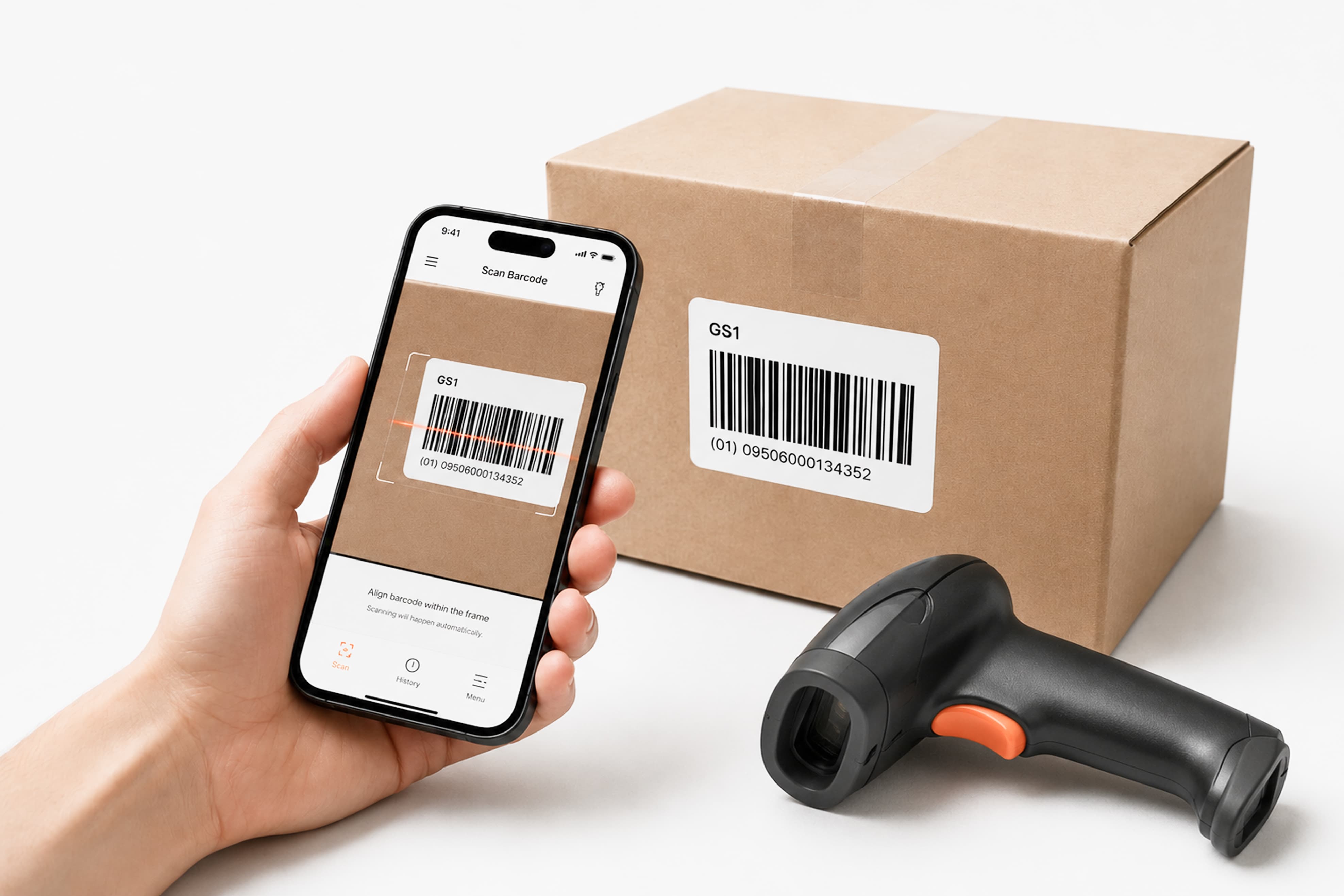
Generate and print barcode labels for serial, lot, and expiration-date-tracked items, including stock that arrives without a usable barcode. Labels can carry the tracked number itself, so a scan at receiving or picking identifies the exact unit or batch rather than just the SKU.

Scan with a Bluetooth barcode scanner or the camera on a mobile device. More on barcode scanning.

Expiration-aware inventory control

Track expiration dates by lot. Record expiration dates on lots so shelf life stays tied to the inventory record.

Use FEFO for fulfillment. With FEFO enabled, stock closest to its expiration date is sold first, helping older units move before newer ones.

Write off expired stock. Remove expired or near-expiration products from available inventory so stock levels reflect what is actually sellable.

Trace transactions by serial or lot number

See the full transaction history

The Transactions by Serial/Lot Numbers report gives you a clear traceability record for each tracked number — from receiving through transfers and sales.

Investigate returns

Trace a serial number back to the purchase order, transaction history, and sale it was linked to.

Follow a lot or batch

Follow a lot or batch. See where a lot moved, which customers received it, and how much remains in stock.

Support recall investigations

Use the transaction trail to quickly identify affected inventory and customers, giving your team the traceability needed to manage recalls and customer communication.

Serial and lot tracking across locations, fulfillment, and QuickBooks

Tracked serial and lot numbers carry into picking and packing, so the team can verify the right unit or batch before the order leaves the warehouse.

Trusted by small businesses
that need inventory to stay accurate

HandiFox helps growing teams replace manual inventory work with faster, more reliable workflows connected to QuickBooks.

300+ SMBs

run inventory with HandiFox

16+ years

automating SMB inventory

4.9/5

on QuickBooks App Store

How Tessa Stones improved lot and slab traceability

HandiFox stood out because it works directly with QuickBooks Online, allows us to use barcodes for scanning slabs, and helps us avoid duplicate entries. It is more practical for our type of business compared to others.

Apratim Ray

Tessa Stones

The challenge

Tessa Stones needed to track quartz, marble, and granite slabs by lot and slab number, while reducing duplicate records and manual entry.

The result
  • 80 SKUs tracked across stone slabs
  • Fewer duplicate records and manual errors
  • Faster, more accurate invoicing
  • 2–3 week implementation
With Handifox

Barcode-enabled lot and slab tracking, real-time inventory visibility, mobile access, and QuickBooks Online integration.

Businesses tracking serials and lots with HandiFox

Protegy Trading VBA
Mitch
(Ohio, USA)
“Came across this app as I was looking for an easy to use inventory management software that could track expiration dates, besides this, the software also helps my sales team. Ruslan helped me set it up and answered my questions quickly, thanks for the great service!”
Holmes Seed
(Ohio, USA)
“We have been using Handifox for the last two years. Quite frankly I am not sure we could have made it through this Covid surge in business without it. The order picking accuracy and speed that it creates is a game-changer.”
Tessa Stones
Apratim Ray
(Ohio, USA)
“We wanted a proper system to track our slabs with lot and slab numbers. HandiFox helps us keep everything organized in one place.”

Jumpstart with AI in inventory management automation

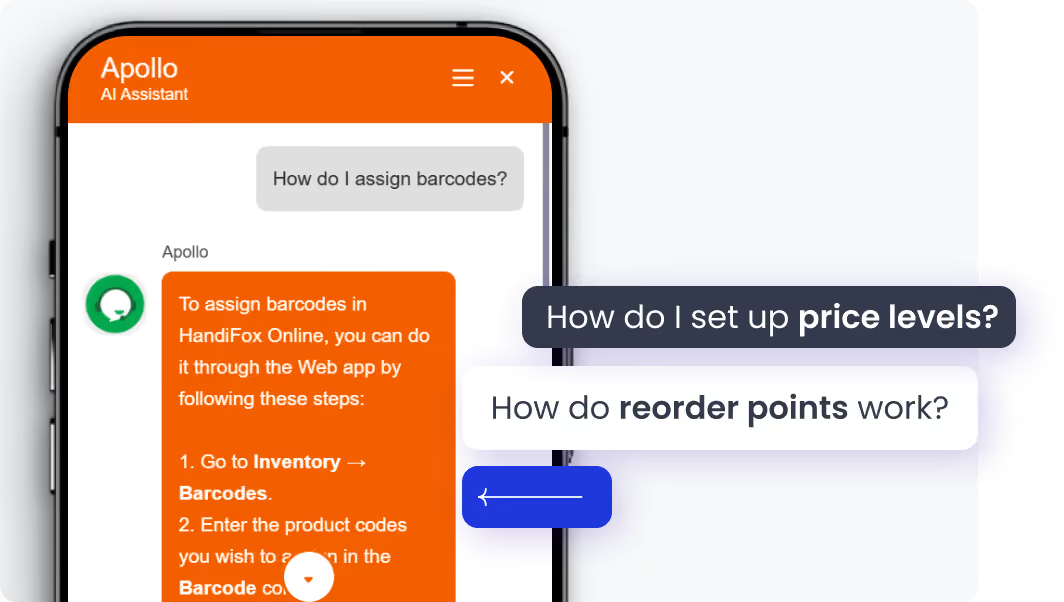
Get help without leaving HandiFox. The built-in AI assistant helps you find answers to setup and workflow questions in plain language, right inside the app.
Instant onboarding support
Real-time task guidance
Fewer errors, faster execution
No manuals. No guesswork. Just answers.

Serial, lot, and expiration date tracking FAQs

1. What is the difference between serial number tracking and lot or batch tracking?
A serial number identifies one individual unit; a lot or batch number identifies a group that arrived or was produced together. Serials suit high-value items where each piece has its own history. Lots suit interchangeable stock where the origin matters — a production run, a delivery, a batch from one supplier.
2. Can HandiFox generate and print serial or lot barcode labels?
Yes. HandiFox generates and prints barcode labels for serial, lot, and expiration-date-tracked items, including stock that arrives without a usable barcode. Labels can carry the tracked number, so scanning identifies the specific unit or batch rather than only the SKU.
3. How does HandiFox handle expiration dates?
Expiration dates are recorded on lots. With FEFO fulfillment enabled, stock closest to its date is picked and sold first, so older units move before they expire. Products that have expired or are close to it can be written off, keeping the on-hand number aligned with what is actually sellable.
4. Can I trace where a batch went if I need to recall it?
Yes, through the Transactions by Serial/Lot Numbers report. It shows the movement history behind a tracked number — the purchase order it arrived on, the locations it moved through, and the sales it left on. HandiFox provides the traceability record; the recall decisions and customer contact remain your process.
5. Which transactions are available in the Transactions by Serial/Lot Numbers report?
The report covers the transactions that touch a tracked number: receiving, transfers between locations, counts, picking and packing, and sales. It is the tool for investigating discrepancies and for answering questions about where a specific unit or lot has been.
6. Can I track lots and serial numbers across multiple locations?
Yes. Tracked numbers hold across every warehouse and site, so a unit or batch is identifiable wherever it sits. Per-location quantities and the company total both reflect tracked stock, and transfers between locations record against the number.

Know the history of every unit and batch

Serial numbers, lot numbers, and expiration dates recorded where the work happens, with a report that answers the question afterwards.

Or call + 1 877 942  6343

Sizzling July savings!
Get up to 35% off HandiFox Online and HandiFox Desktop.
Save now