
Hot July Sale: Up to 35% Off HandiFox Online and HandiFox Deskop →

Wine and spirits inventory management software for distributors

Keep wine and spirits inventory organized across warehouses and storage locations. HandiFox helps distributors and wholesalers track stock, receive and count inventory, manage lots, and keep purchasing and inventory records connected with QuickBooks.

Inventory management software

Common inventory challenges in wine distribution

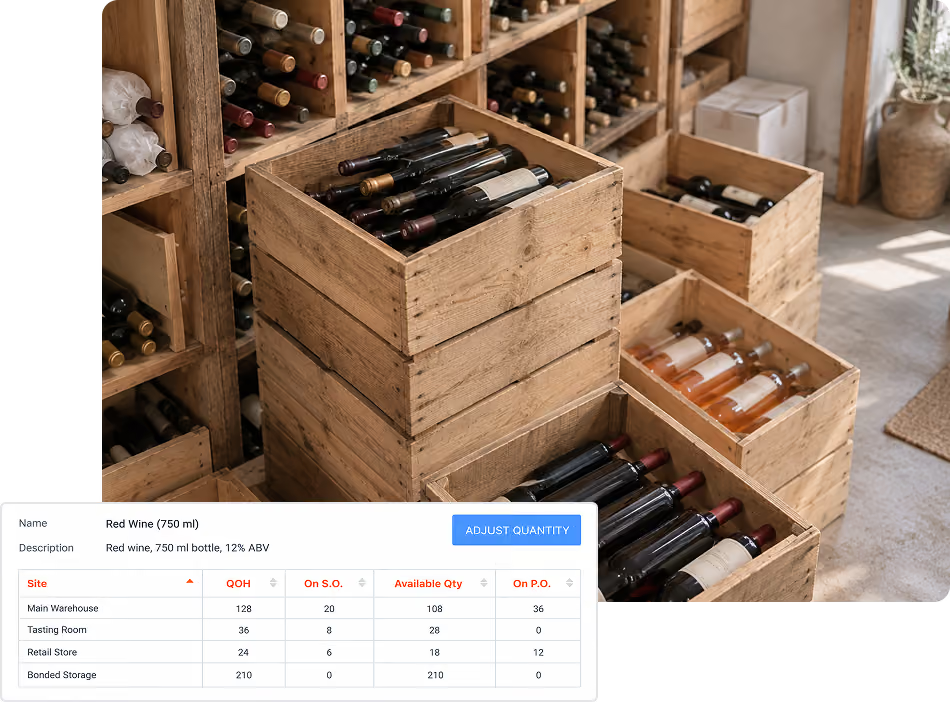
Stock is spread across storage locations

Wine and spirits inventory may be held across several warehouses, storage rooms, or delivery locations. Without a consistent inventory system, it becomes harder to know what is available at each site and what is on hand company-wide.

Cases and bottles do not always use the same unit

Products may be purchased by the case, stored or counted in another unit, and invoiced differently. Managing those conversions manually creates extra work and makes discrepancies more likely.

Lots need to remain traceable

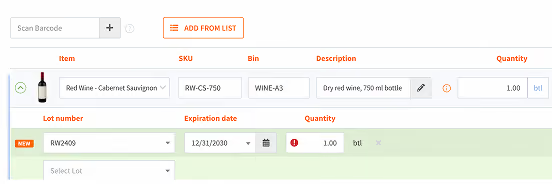
For products tracked by lot or expiration date, the lot needs to stay attached to the inventory as it is received, transferred, and sold.

Inventory and accounting can drift apart

When purchasing, sales, and stock changes are recorded separately from accounting, teams spend more time reconciling the same transactions.

How HandiFox handles day-to-day inventory

Manage wine and spirits inventory from receiving to replenishment

ITEM IDENTIFICATION

PURCHASING AND REPLENISHMENT

STOCK ACROSS LOCATIONS

FULFILLMENT AND PRICING

MOBILE INVENTORY WORK

REPORTING AND TRACEABILITY

Keep inventory connected to QuickBooks

Sync inventory and accounting data

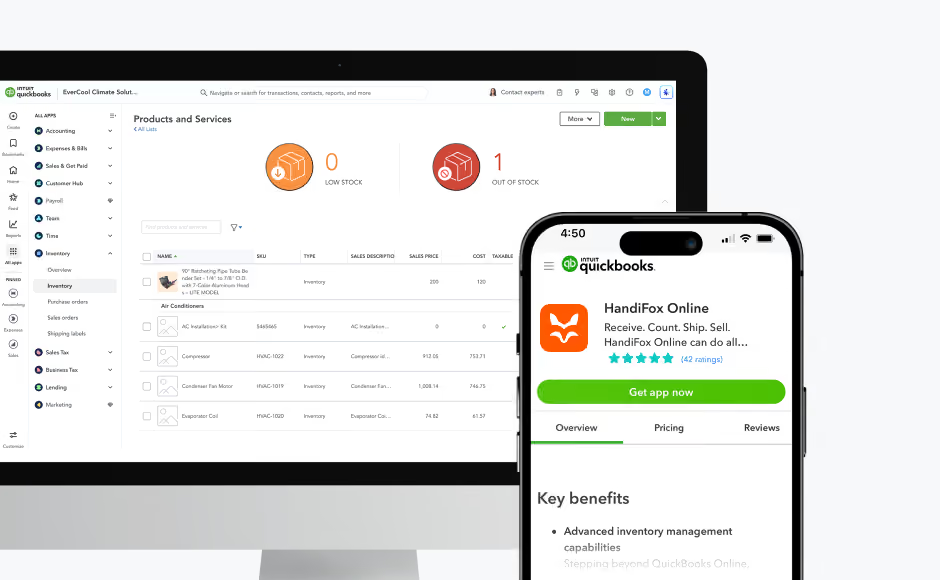
Inventory, purchasing, sales, customers, vendors, and related transaction data stay connected between HandiFox and QuickBooks. HandiFox Online works with QuickBooks Online, while HandiFox Desktop works with QuickBooks Desktop. Data syncs in both directions across inventory, purchasing, sales, and accounting records.

Keep updates flowing between systems

A full synchronization runs when work is saved in HandiFox, helping day-to-day inventory activity and accounting records stay aligned.

Trusted by small businesses
that need inventory to stay accurate

HandiFox helps growing teams replace manual inventory work with faster, more reliable workflows connected to QuickBooks.

300+ SMBs

run inventory with HandiFox

16+ years

automating SMB inventory

4.9/5

on QuickBooks App Store

How Wide Roots improved order and inventory management

HandiFox helped us automate work processes for order and inventory management, which reduced errors almost completely. We did require some custom development and this was done on time, on budget, and all requirements met.

Russ Lorber

Founder, Wide Roots

The challenge

Wide Roots needed better control over day-to-day order and inventory processes and wanted to reduce the manual steps that were leading to errors. The team also had a specific shipping workflow that required the system to fit the way orders were prepared and labeled.

The result
  • More automated order and inventory workflows
  • Fewer manual errors
  • A smoother shipping process
  • Custom development delivered on time and on budget
With Handifox

The team implemented HandiFox to automate more of its order and inventory work and then added a custom shipping-label workflow directly to Sales Orders. This made shipment preparation easier and let the team keep more of the process inside the same system.

About HandiFox

Support you can count on: real people + smart AI

HandiFox backs you with a team of inventory pros and an in-app AI guide that’s always a click away. Whether you’re stuck or scaling, help is built right into your workflow.

Automate it all: inventory, orders, and sales

Say goodbye to clunky spreadsheets. HandiFox automates stock counts, purchase orders, and sales, plus barcode and QR scanning, to keep your business humming and your hands free.

QuickBooks sync: inventory and finance in perfect step

HandiFox syncs with QuickBooks Online and QuickBooks Desktop in real time, keeping your numbers sharp and your books balanced. It’s like your inventory and accounting just became best friends (with benefits).

Where HandiFox fits in wine and spirits operations

HandiFox is inventory management software for wine distributors, wholesalers, and other wine businesses that need better control over stock across warehouses and storage facilities.

HandiFox is a good fit if you…

Distribute or wholesale wine and spirits

Manage inventory across warehouses or storage facilities

Buy, store, or sell products in different units of measure

Track batch-controlled products by lot or expiration date

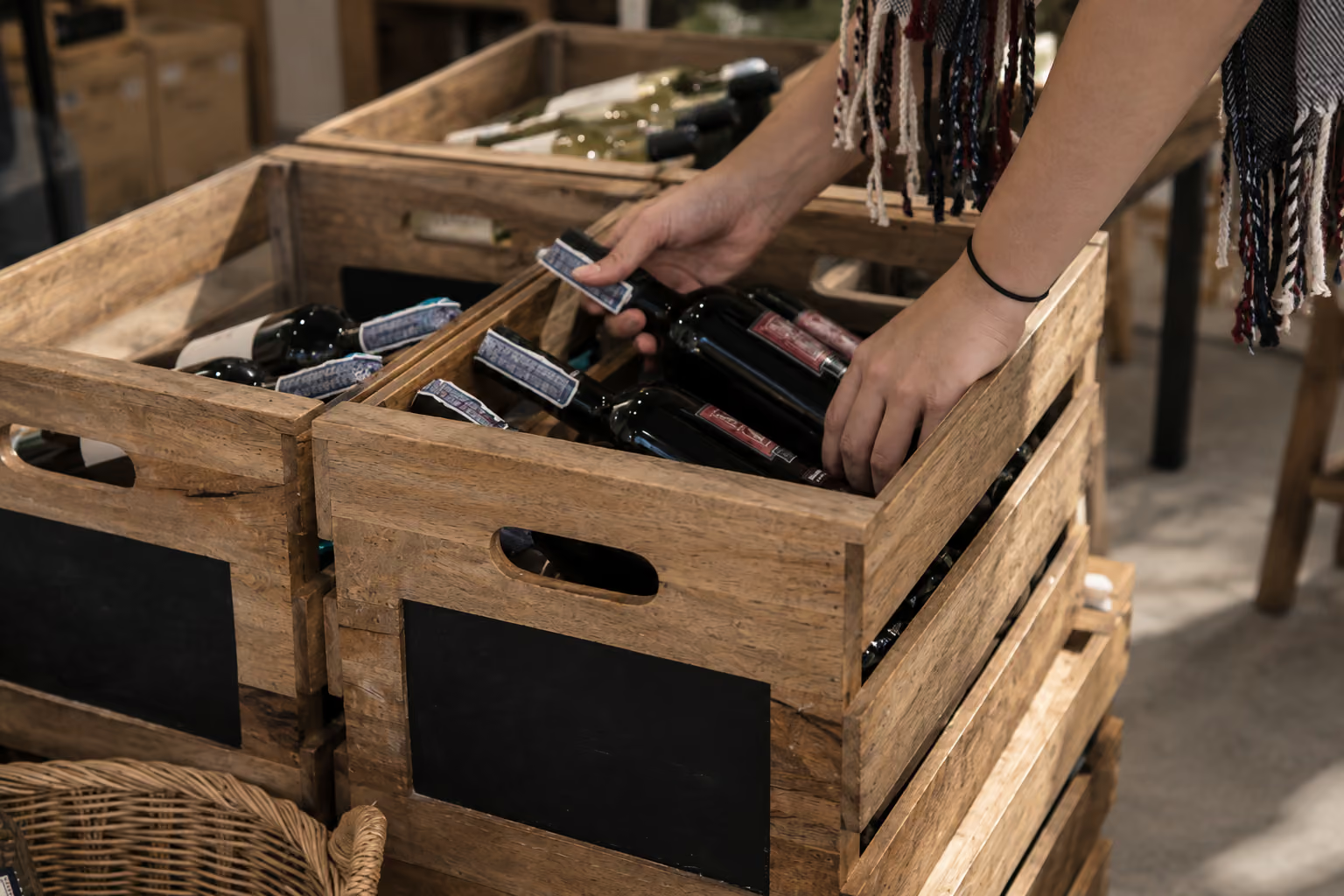
Need mobile receiving, counts, transfers, or fulfillment

Another system may be a better fit if you…

Need a retail checkout register

Need card processing at the counter

Need age verification at checkout

Need liquor licensing or excise filing

Need bar pour control or hospitality POS

Need restaurant or bar management

Wine and spirits inventory FAQs

1. What is wine inventory management software?

Wine inventory software helps distributors and wholesalers track quantities, locations, receiving, stock movements, purchasing, and other inventory activity across their operations.
‍
HandiFox adds barcode scanning, mobile workflows, lot tracking, units of measure, and QuickBooks integration to those day-to-day inventory processes.

2. Who is HandiFox for in the wine and spirits industry?

HandiFox is best suited to wine distributors, wholesalers, beverage suppliers, and other businesses that need to control inventory across warehouses and storage locations.
‍
It is not designed to replace a retail liquor POS, bar POS, or hospitality management system.

3. Can I buy by the case and sell or invoice by the bottle?

Yes. Multiple units of measure can be configured for an item, allowing different units to be used during purchasing, inventory management, counting, and invoicing.

4. Can I track wine and spirits by lot number?

Yes. HandiFox supports serial and lot number tracking, including expiration dates where applicable.

5. Can I track inventory across several warehouses?

Yes. Each configured location maintains its own quantity on hand, while the system also provides a company-wide view. Inventory transfers record stock moving between locations.

6. Can I count inventory with a phone?

Yes. HandiFox Online supports barcode-based inventory counting on Android and iOS devices using the phone camera or compatible scanning hardware.

7. Does HandiFox help with replenishment?

Yes. You can set reorder points and desired quantities by item and location. HandiFox can use those settings to generate a restocking suggestion and prepopulate a purchase order for review.

8. Does HandiFox work with QuickBooks?

Yes. HandiFox Online works with QuickBooks Online and HandiFox Desktop works with QuickBooks Desktop, with inventory-related data synchronized between the systems.

9. Is HandiFox a liquor store POS?

No. HandiFox manages inventory, purchasing, orders, and related warehouse workflows. It does not provide a retail register, card processing, age verification, liquor licensing, or bar pour control.

Keep your wine and spirits inventory under control

Track stock by location, manage cases and bottles with multiple units of measure, receive and count by barcode, monitor lots, and keep inventory connected with QuickBooks.

Or call + 1 877 942  6343

Sizzling July savings!
Get up to 35% off HandiFox Online and HandiFox Desktop.
Save now