Hot July Sale: Up to 35% Off HandiFox Online and HandiFox Deskop →

Medical inventory management software for supply distributors

Know what is on the shelf, which lot it came from, and what expires next. HandiFox tracks medical supplies and equipment by lot, serial number, and expiration date across every location you stock.
Inventory management software

Where medical supply inventory gets hard to control

purchase order system

Expiration dates are not always visible in time. Without expiration dates recorded in the system, older stock may remain available longer than intended.

Lot records get harder to follow. When supplies from several deliveries are stored together, identifying the affected lot takes more work.

Stock levels do not always match by location. The company total may look sufficient even when the warehouse or site fulfilling the order is short.

Manual entry creates discrepancies. Recording the same inventory activity in operational and accounting systems can leave quantities out of sync.

How medical inventory tracking works in HandiFox

Keep expiration dates and lots under control

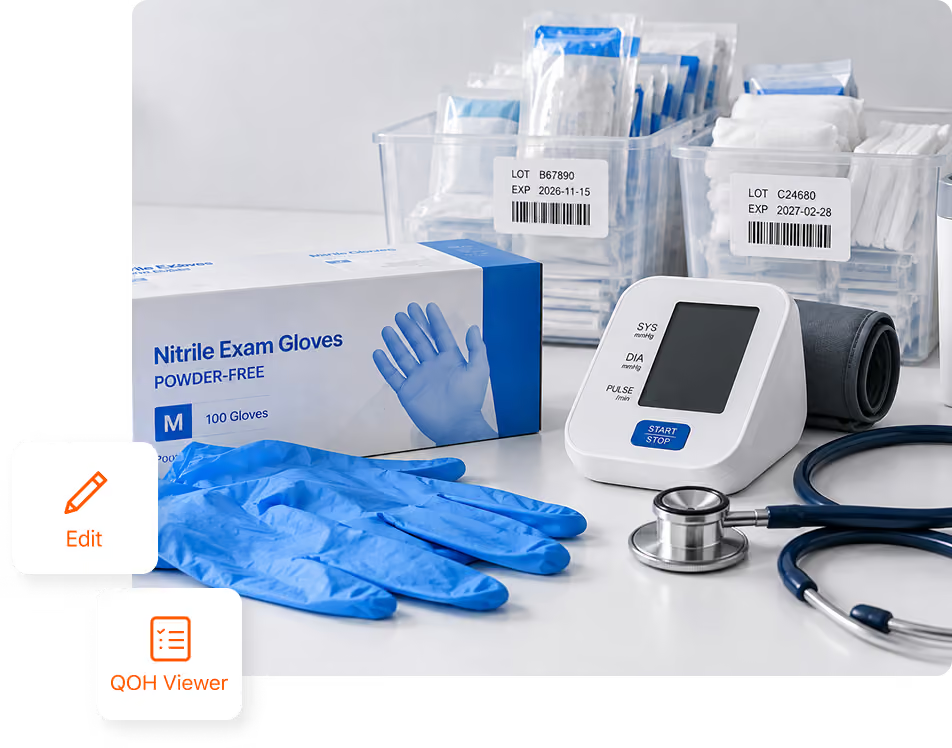
Track expiration dates by lot

Record expiration dates on each lot so shelf life stays connected to the inventory record.

Use FIFO and FEFO fulfillment

Use FIFO for non-expiring inventory and FEFO for expiration-tracked items, helping stock move in the right order.

Write off expired inventory

Remove expired or near-expiration stock from available inventory so on-hand quantities reflect sellable stock.

Barcode lot- and expiration-tracked items

Use existing product barcodes or generate and print 1D and 2D barcode labels for tracked items that need them.

Replenish medical supplies before stock runs low

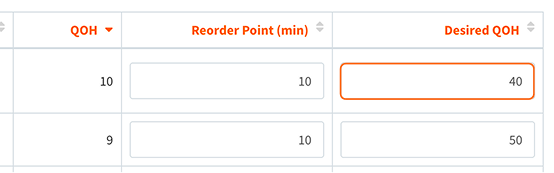
Reorder points and desired quantity on hand

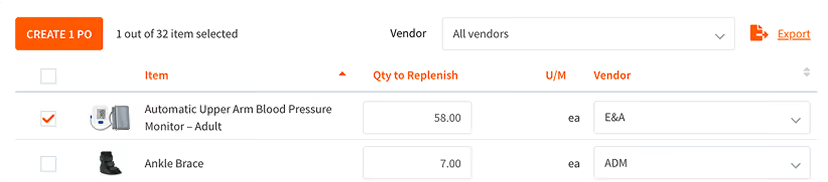
Set a reorder point and desired quantity for each item and location. HandiFox uses these levels to determine when stock needs replenishing and how much to reorder.

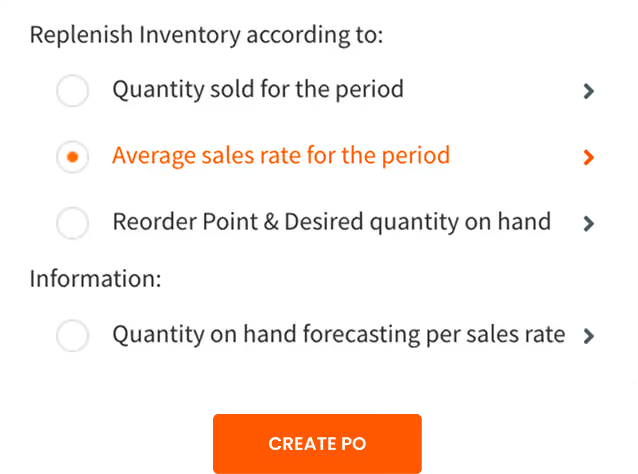
Replenishment suggestions

When an item reaches its reorder point, HandiFox calculates a suggested reorder quantity using the desired quantity on hand and sales rate over the period you select.

Prepopulated purchase orders

Turn replenishment suggestions into prepopulated purchase orders. Review the suggested quantities, make any needed adjustments, and send the purchase order to the supplier.

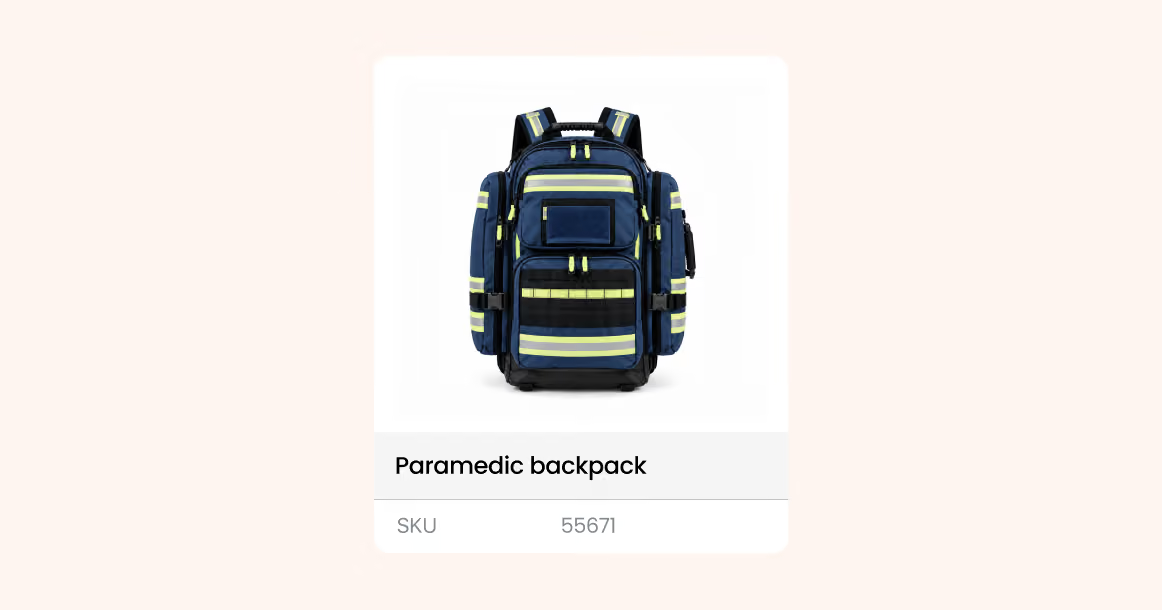
Track durable medical equipment by serial number

HandiFox tracks individual devices and equipment by serial number, so you can see which specific unit a customer received, when it shipped, and which purchase order it came from.

If a device is returned, the serial number helps identify the exact unit and review its transaction history.

Request live demo

One inventory system across stockrooms, sites, and vans

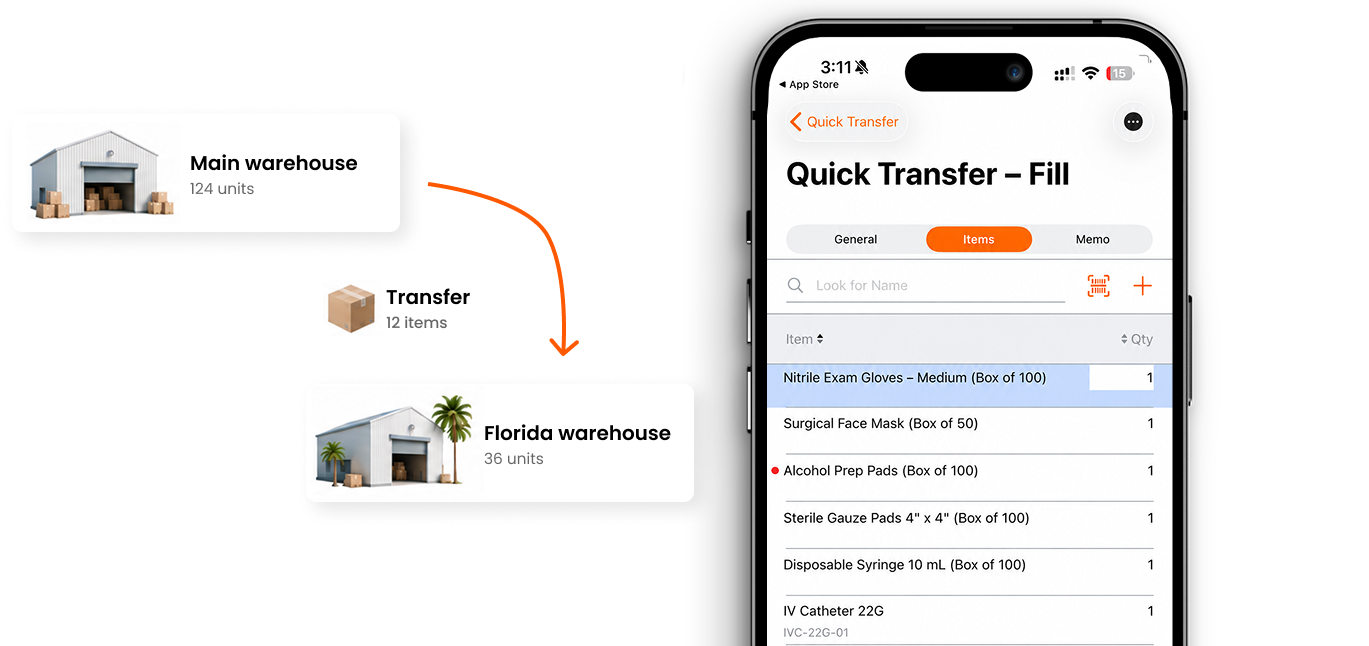
Healthcare suppliers rarely keep stock in one place: a main stockroom, a second site in another region, a delivery vehicle loaded for the route. Each location holds its own quantity next to the company total.

Counting and transfers

Count with a scanner instead of a clipboard, and move stock between locations as a recorded transfer — deducted at one end, received at the other, with both quantities updated.

From the stockroom, the road, or a client site

Receiving, counting, picking, and invoicing run from an Android or iOS phone, with most features still working when the connection drops. That covers the van on the route and the visit where equipment is installed, replaced, or collected.

Keep inventory and accounting in one loop

Sync with QuickBooks

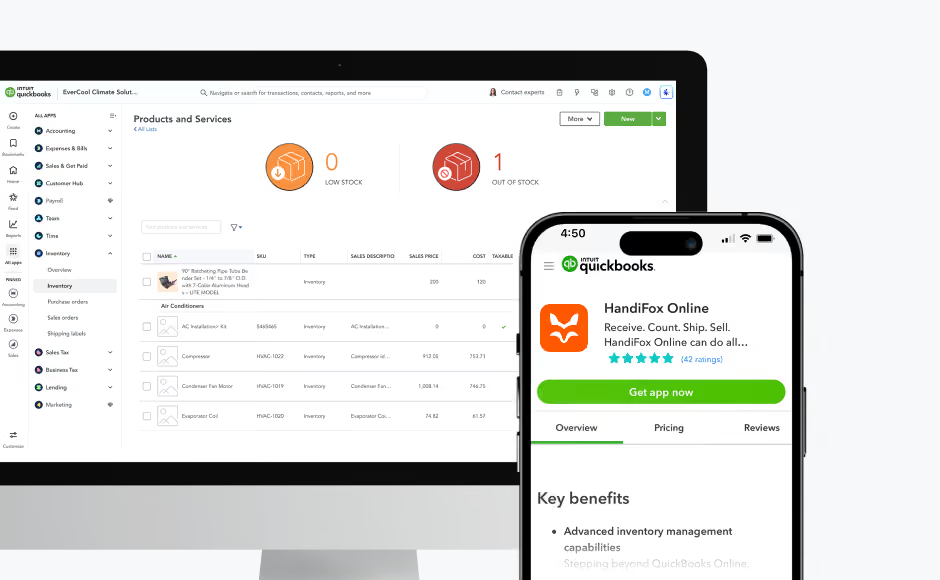
HandiFox Online connects with QuickBooks Online, while HandiFox Desktop connects with QuickBooks Desktop. Inventory and transaction data sync between the systems, with updates typically reflected as work is saved.

Keep records aligned

Inventory activity in HandiFox stays connected to the accounting records your team manages in QuickBooks.

Review inventory, purchasing, and sales activity

Use customizable reports to review inventory, purchasing, sales, supplier, and customer activity, and trace discrepancies back to the related transaction.

Trusted by small businesses
that need inventory to stay accurate

HandiFox helps growing teams replace manual inventory work with faster, more reliable workflows connected to QuickBooks.

300+ SMBs

run inventory with HandiFox

16+ years

automating SMB inventory

4.9/5

on QuickBooks App Store

How a medical supplier keeps lots and expiry dates straight

We needed a way to track products to ensure they were replenished on time so we can dispatch the next day to our customers

Ken O’Dwyer

Managing Director, Flashpoint Medical Systems

The challenge

Flashpoint Medical Systems grew from two products to around 2,000, with overseas suppliers, longer lead times, and increasing order volume making timely replenishment and lot, serial, and expiration tracking more important.

The result
  • Replenishment completed on time
  • Better preparation for regulatory audits
  • Less manual work across inventory, purchasing, and fulfillment
  • Faster, more accurate order dispatch
With Handifox

The team uses HandiFox Online for automatic replenishment, lot and expiration tracking, inventory counts, barcoding, and pick-and-pack workflows.

Medical supply teams run inventory better with HandiFox

V-M Orthotics Ltd
(Ohio, USA)
“…the synchronisation between the office computer and the warehouse tablet is equally efficient.”
Flashpoint Medical Systems
Ken O'Dwyer
(Ohio, USA)
“If we cannot find a solution, the Handifox team advises on workarounds or update the software. No one else offered this level of customer service.”
American Medicals
Danielle Gensch
(Ohio, USA)
“Aside from the program itself and how helpful it has been, I now compare every customer service experience that I have to the exceptional service that I received from HandiFox! I think that says a lot!”

Where HandiFox fits, and where it does not

HandiFox is a good fit if you…

Distribute or resell medical supplies, devices, or durable medical equipment

Track lots, serial numbers, and expiration dates from receiving to the sale

Run inventory, purchasing, and fulfillment on QuickBooks

A different system fits better if you…

Run a hospital or clinic stockroom tied to patient records

Need pharmacy dispensing, controlled-substance logs, or drug interaction checks

Need an EHR, practice management, or clinical charting system

About HandiFox

Support you can count on: real people + smart AI
HandiFox backs you with a team of inventory pros and an in-app AI guide that’s always a click away. Whether you’re stuck or scaling, help is built right into your workflow.
Automate it all: inventory, orders, and sales
Say goodbye to clunky spreadsheets. HandiFox automates stock counts, purchase orders, and sales, plus barcode and QR scanning, to keep your business humming and your hands free.
QuickBooks sync: inventory and finance in perfect step
HandiFox syncs with QuickBooks Online and QuickBooks Desktop in real time, keeping your numbers sharp and your books balanced. It’s like your inventory and accounting just became best friends (with benefits).

Medical inventory management FAQs

1. What is a medical inventory management system?
It is software that tracks medical supplies and equipment through receiving, storage, fulfillment, and sale — with the detail the category needs: lot numbers, serial numbers, and expiration dates. For a distributor, it replaces the spreadsheet that sits next to the accounting system.
2. How does HandiFox handle expiration dates?
Expiration dates are recorded on lots. With FEFO fulfillment, stock closest to its date is picked and sold first; items that do not expire can be picked by FIFO instead. Products that have expired or are close to it can be written off, so the on-hand number reflects what is sellable.
3. Can I trace a lot back to the supplier and forward to the customer?
Yes, through the Transactions by Serial/Lot Numbers report. It shows the purchase order a batch arrived on, the locations it moved through, and the sales it left on. HandiFox provides the traceability record; recall decisions and customer contact remain your process.
4. Can I track medical devices by serial number?
Yes. Serial numbers attach to individual units and stay with them through transfers, counts, picking, and the sale, so you can identify the exact unit a customer received.
5. Can I manage inventory across several locations and a delivery van?
Yes. Each location holds its own quantity alongside the company total, transfers are recorded at both ends, and the mobile app covers receiving, counts, picking, and invoicing away from the office.
6. Is support included with HandiFox Desktop?
HandiFox Desktop is sold as a perpetual license, and technical support is not part of that price. Support is available as an annual plan or at an hourly rate — write to sales@handifox.com for current terms.
7. Does HandiFox work for hospitals, pharmacies, or labs?
It is built for the distribution side rather than clinical operations. HandiFox does not provide patient records, pharmacy dispensing, or clinical charting. Businesses that supply those facilities — distributors, resellers, and equipment dealers — are the intended fit.

Know what is in stock and what expires next

Track lots and serial numbers, use FIFO and FEFO fulfillment, replenish based on your thresholds, and keep inventory aligned with QuickBooks — so your team can check availability with confidence.

Or call + 1 877 942  6343

Sizzling July savings!
Get up to 35% off HandiFox Online and HandiFox Desktop.
Save now