

Hot July Sale: Up to 35% Off HandiFox Online and HandiFox Deskop →

Inventory software for QuickBooks Desktop

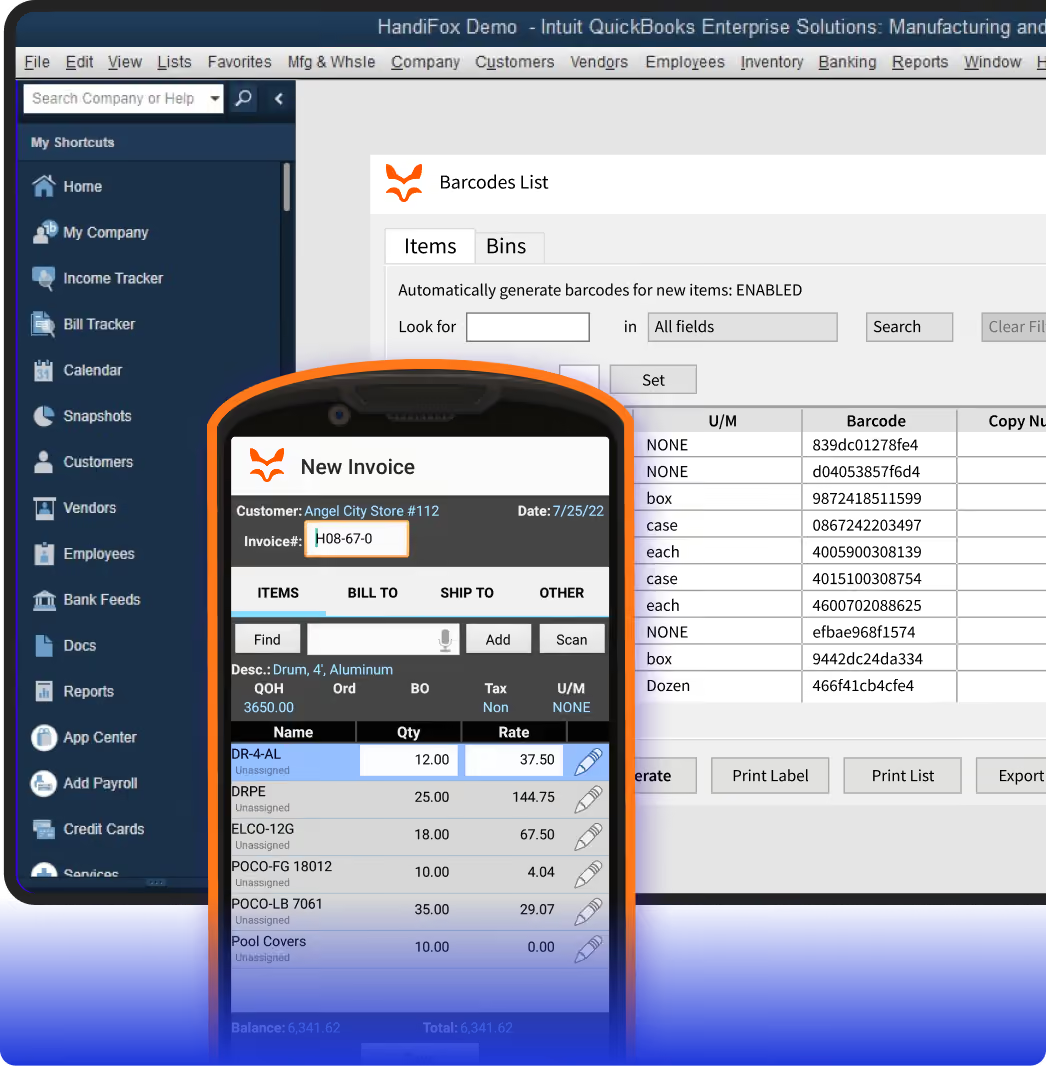
Extend QuickBooks Desktop with mobile barcode scanning and inventory workflows for warehouse and field teams. Keep inventory activity connected to the office without replacing your accounting system.
automated inventory management

QuickBooks Desktop is powerful, but your inventory needs more

As your inventory moves through warehouses, service trucks, and customer orders, desktop-only workflows start to slow the team down.

Inventory updates happen too late

Warehouse and field activity does not always reach QuickBooks until someone enters it manually.

Barcode scanning is missing from daily workflows

Receiving, counting, picking, packing, and invoicing take longer when every item and quantity is typed in by hand.

Field and warehouse teams need mobility

Your team needs to make updates from mobile devices while QuickBooks Desktop stays in the office.

Connect every part of inventory management with HandiFox Desktop

multi location inventory system
Install locally, operate globally
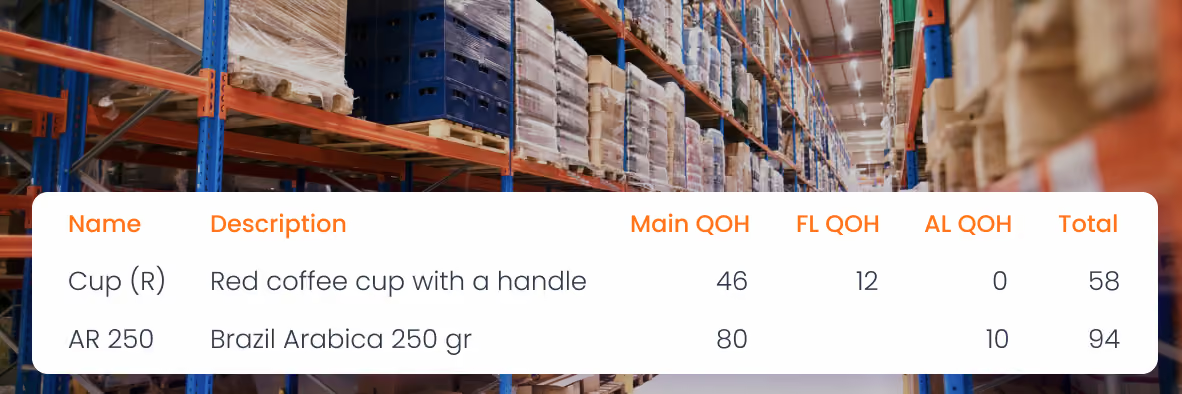
HandiFox Desktop connects your QuickBooks Desktop data with inventory work happening in warehouses, stockrooms, service trucks, and sales locations. Manage stock across multiple sites across the country (or even the world).
Barcode inventory system
Move faster with barcode workflow
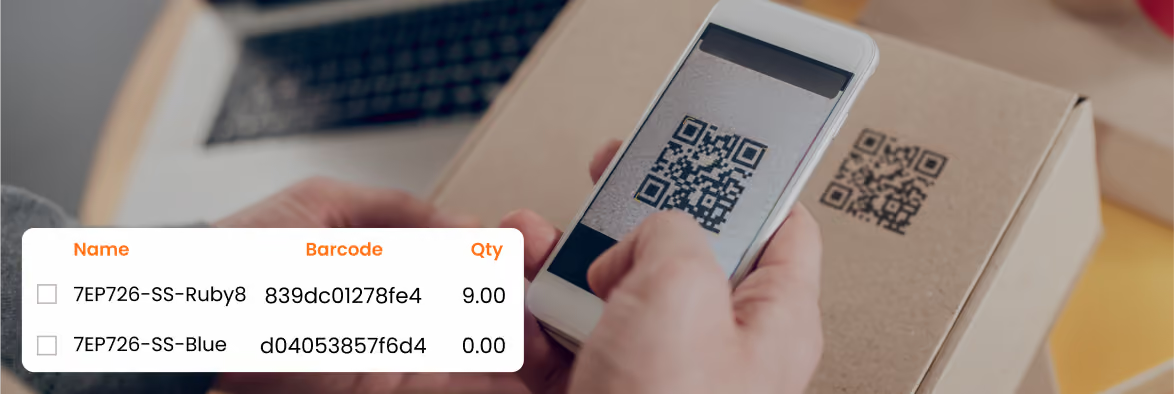
Use barcode scanning to receive stock, count inventory, transfer items, pick and pack orders, and sell from Android devices. Routine inventory tasks become faster, more consistent, and less dependent on manual entry.
automated inventory tracking system
Reduce labor spent on corrections
Replace paper notes, spreadsheet updates, and duplicate data entry with mobile inventory workflows. Your team spends less time checking, retyping, and fixing inventory records after the work is already done.
managing inventory
Ship the right orders with fewer errors
Verify items during picking and packing before orders leave the warehouse. More accurate fulfillment helps reduce shipping mistakes, customer complaints, and time spent on returns or corrections.

HandiFox Desktop Features

Inventory Tracking

Track quantities, serials, lots, and inventory availability across sites.
Learn more

Multiple locations

Manage inventory across warehouses, stores, trucks, and field locations.
Learn more

Barcoding

Use Android devices and compatible scanners to receive, count, pick, pack, and sell with fewer manual errors.
Learn more

Purchase Orders

Create POs, receive against open orders, and catch discrepancies before they affect stock levels.
Learn more

Picking and Packing

Generate pick lists, verify shipments by barcode, and reduce order fulfillment mistakes.
Learn more

Sales

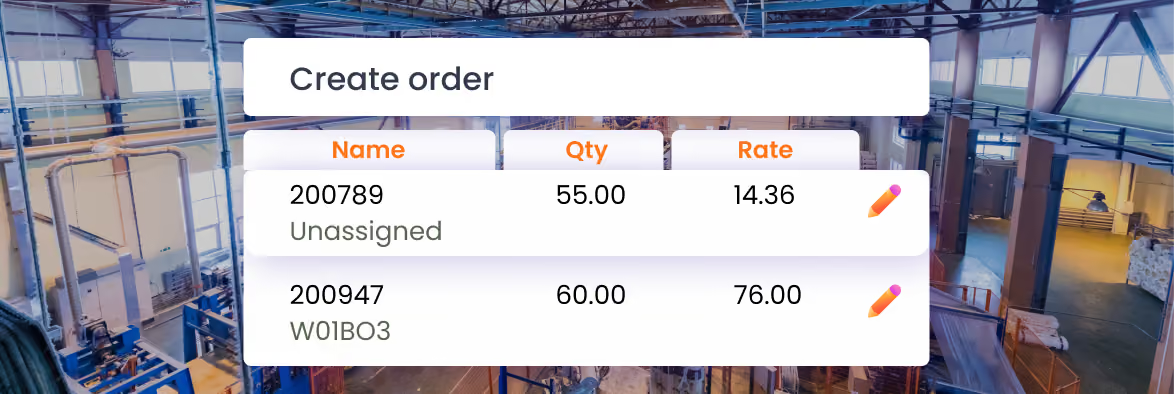
Create sales orders, invoices, sales receipts, credit memos, and payments while staying connected to QuickBooks Desktop.
Learn more

Units of Measure

Receive, count, and sell in multiple units, with conversions handled automatically.
Learn more

QuickBooks Desktop integration

Keep office accounting and mobile inventory operations aligned.
Learn more

Mobile App

Give warehouse and field teams tools for receiving, counting, picking, packing, and sales while keeping QuickBooks Desktop in sync.
Learn more

Finally, inventory software that adapts to you

The difference HandiFox Online makes

99%

order accuracy

4x

faster warehouse management

4.9/5

on QuickBooks App Store

Bella Viva Orchards reduced shipping errors with HandiFox Desktop

As online orders grew, Bella Viva Orchards needed a faster, more accurate way to pick, pack, and validate shipments without changing its QuickBooks Desktop workflow.

HandiFox was selected because it fit our current operations. We didn’t have to alter our procedures much; the flow just worked.

Elliot Gage

Bella Viva Orchards

The challenge

Manual pick slips and inventory sheets created room for shipping errors as ecommerce order volume increased

The result
  • Fewer shipping errors, faster order validation, and a digitized fulfillment workflow.
With Handifox

Warehouse staff used handheld barcode scanners to pick and pack orders in batches, validate items in real time, and keep inventory activity connected to QuickBooks Desktop.

Real inventory results from HandiFox Desktop users

Xtreme Solutions
Steven Israel
(Ohio, USA)
“HandiFox was the perfect next step in taking my business mobile. Reasonably priced, HandiFox was perfect for my growing small business needs. It easily integrates with QuickBooks and assists me in inventory control on my trucks and other locations. It's great for invoicing on the go, and is designed to grow with my company. Whether I’m using it in one vehicle or 10, HandiFox never lets me down.”
EDOS
Phil Doyle
(Ohio, USA)
“We looked at the cost and learning curve. We also were looking for something that we could integrate barcode scanners. The biggest selling point in favor of HandiFox was the ability to integrate with QuickBooks. The office staff did not have to learn a new system. Using barcode scanners ensured that we would have an accurate count of our inventory.”
BarcodeShack
Bob Hogan
(Ohio, USA)
“We were looking for a straightforward application that would add mobility and barcoding to our QuickBooks prospects.  HandiFox is an ideal solution for our clients who are satisfied with the functionality of QuickBooks but need a way to update the inventory in QuickBooks with a mobile device when away from their PC.”

What HandiFox adds to QuickBooks Desktop

QuickBooks Desktop

Accounting and inventory records tied to the office computer
Manual item and quantity entry
Advanced Inventory available only with the Platinum subscription

QuickBooks Desktop + HandiFox

Inventory and sales workflows on Android devices
Barcode scanning for receiving, counting, picking, packing, and sales
Mobile access for warehouse staff, sales reps, and service trucks
Multi-location inventory tracking, purchase orders, sales orders, invoices, units of measure, serial/lot number tracking, and more

How HandiFox Desktop works with QuickBooks Desktop

01

Install HandiFox Desktop locally

HandiFox Desktop is installed on your computer and works directly with QuickBooks Desktop.
02

Sync the Android app

Connect the HandiFox Android app to bring barcode scanning and mobile inventory workflows to your team.
03

Start working

Most businesses are up and running in 2–3 weeks.

FAQ

1. Does HandiFox Desktop work with QuickBooks Desktop?
Yes. HandiFox Desktop is built as an inventory tracking and sales management extension for QuickBooks Desktop, helping teams manage mobile inventory workflows while keeping QuickBooks Desktop as the accounting system.
2. What QuickBooks Desktop versions does HandiFox support?
QuickBooks Pro, Premier, Accountant, Enterprise 2008-2024 (US, 2024 is the latest available), 2009-2024 (CA), 2009-2021 (UK)
3. Does HandiFox Desktop work on iOS?
HandiFox Desktop supports Android mobile devices. If your team needs iOS support, compare it with HandiFox Online.
4. Can I use barcode scanners with HandiFox Desktop?
Yes. HandiFox Desktop supports barcode-enabled workflows for receiving, inventory counts, picking, packing, and sales: HandiFox Desktop Hardware List.
5. Can I move from HandiFox Desktop to HandiFox Online later?
Yes. If your business plans to move from QuickBooks Desktop to QuickBooks Online, the HandiFox team can help you evaluate the best migration path.
6. Is HandiFox Desktop a replacement for QuickBooks Desktop?
No. It extends QuickBooks Desktop with inventory, barcode scanning, mobile workflows, purchasing, sales, and fulfillment tools.

Ready to get inventory under control?

Get started in minutes, book a quick live demo or call + 1 877 942  6343

Sizzling July savings!
Get up to 35% off HandiFox Online and HandiFox Desktop.
Save now