Hot July Sale: Up to 35% Off HandiFox Online and HandiFox Deskop →

Wholesale distribution software for inventory, purchasing, and fulfillment

Keep inventory available where it is needed, replenish based on actual stock levels, and move orders from picking through shipping. HandiFox keeps day-to-day distribution workflows connected to QuickBooks.
Inventory management software

What puts wholesale inventory under pressure

Inventory is not always where the order ships from

Company-wide inventory levels may look sufficient even when the warehouse fulfilling the order is short.

Purchasing decisions depend on current stock

If wholesale inventory levels are outdated, the same item may be reordered unnecessarily or replenished too late.

Manual order processing creates extra work

When order details are re-entered between sales, picking, and invoicing, quantities and other information are more likely to become inconsistent.

Warehouse activity and accounting can fall out of sync

Recording inventory movement separately from accounting creates duplicate entry and makes reconciliation harder.

Manage wholesale inventory across multiple warehouses

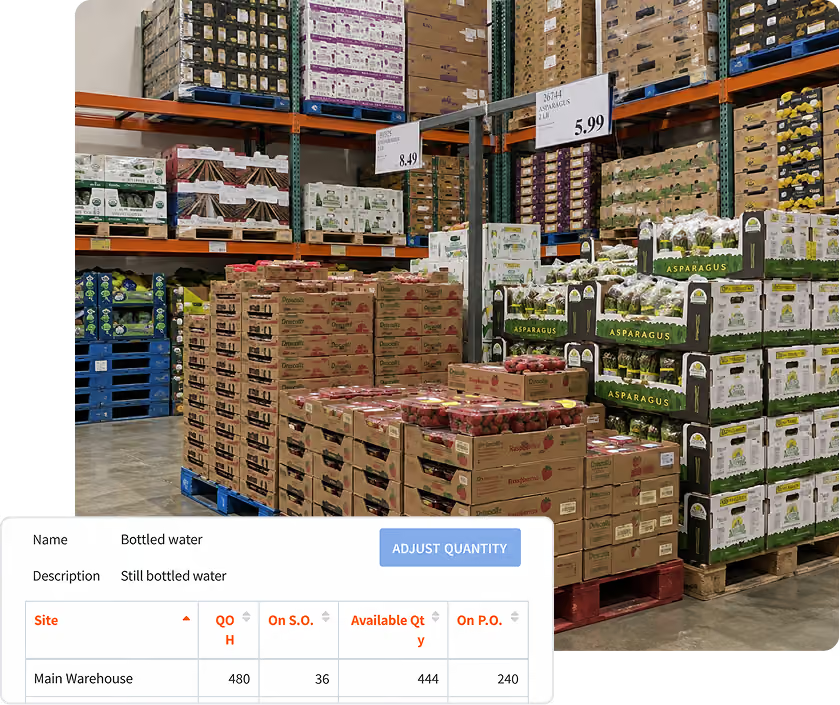
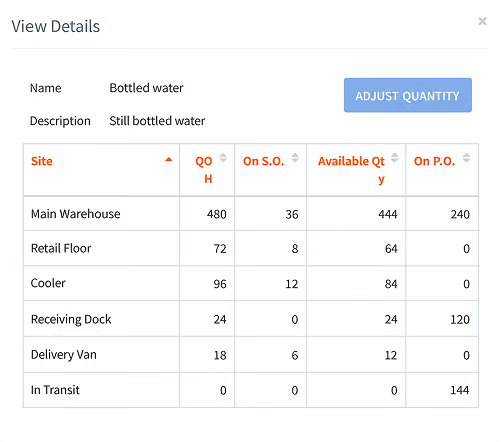
Track stock levels by warehouse while keeping the company-wide total visible. Transfers update quantities at both the source and destination, helping inventory records stay current across locations.

purchase order system

Total and per-warehouse quantities

See company-wide inventory alongside the quantity available at each warehouse before committing stock to an order.

Transfers between locations

Move inventory between warehouses as demand changes, with stock levels updated at both locations.

Bin locations

Assign bin locations within a warehouse to make items easier to find during picking and counting.

Reorder and purchase based on actual stock needs

Reorder from current stock levels

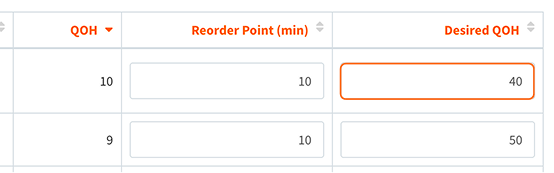
Set a reorder point and desired quantity for each item and warehouse. When stock reaches the threshold, HandiFox suggests a restocking quantity and creates a prepopulated purchase order you can review and adjust.

Keep supplier options tied to the item

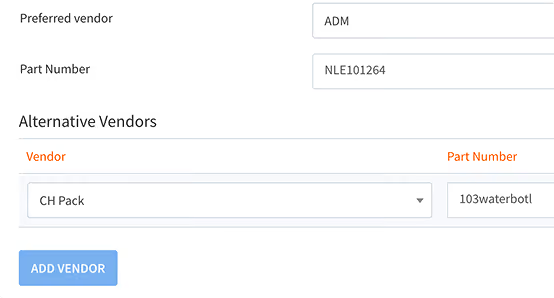
Assign a preferred and alternative supplier to each item so the right vendor is available when a purchase order is created.

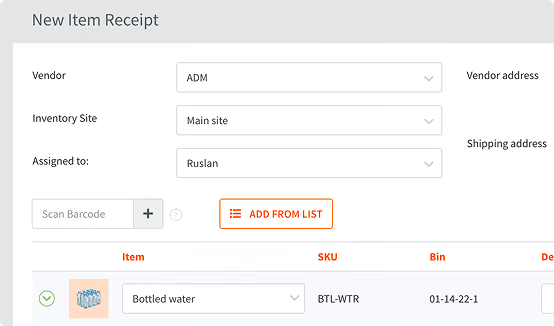
Receive against open purchase orders

Record incoming stock against purchase orders, including deliveries that cover several open orders at once. Learn more about purchase orders and receiving.

Let customers place wholesale orders online

purchase order system

Self-service B2B ordering

Give approved customers a portal where they can browse products and place orders online instead of sending them by email or phone. Orders created through the portal flow into HandiFox Online for sales and fulfillment.

purchase order system

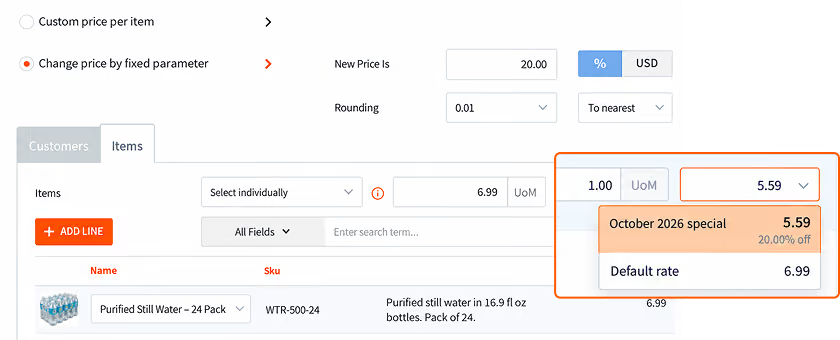
Customer-specific pricing

Use HandiFox price levels so customers can see the pricing assigned to their account, including negotiated prices, discounts, or promotions.

purchase order system

Reduce manual order entry

Orders placed through the portal are created directly in HandiFox Online, so order details do not need to be copied from emails or spreadsheets. Available with the Pro plan. Learn more about the B2B Portal.

Move orders from picking to shipping without retyping

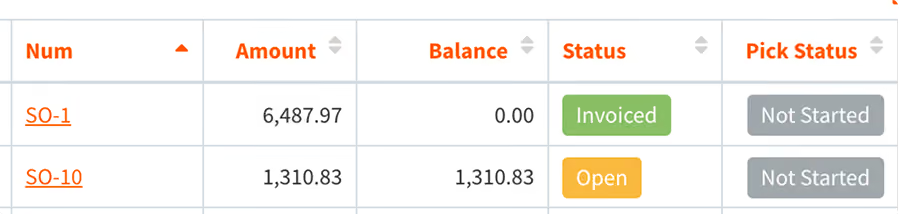
Work from one list of orders to pick

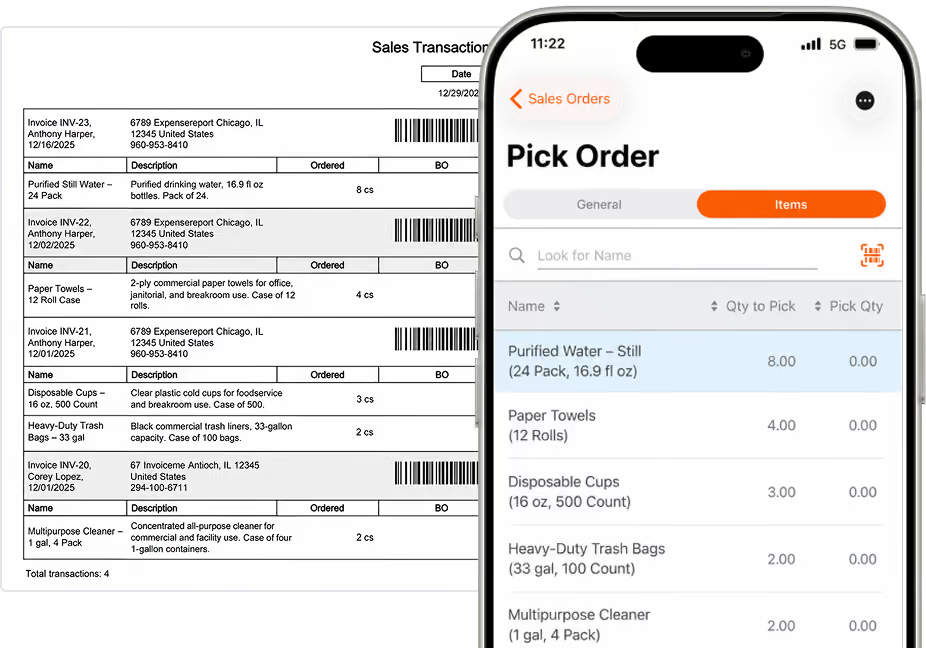
See all orders waiting for picking in one place. Scan an order barcode to open the right order and start picking.

Verify items during picking and packing

Scan items as they are picked and again during packing to help make sure the quantities and products match the order.

Complete full or partial orders

Fulfill an order in full or ship the available items first, keeping the remaining quantities open for later.
Learn more about order picking and packing.

Run warehouse work from mobile devices

automated online inventory management

Scan during receiving, counting, picking, and shipping

Use a phone camera or Bluetooth barcode scanner to receive inventory, run counts, pick orders, and verify shipments. Generate and print barcode labels for items that arrive without a usable code.

automated online inventory management

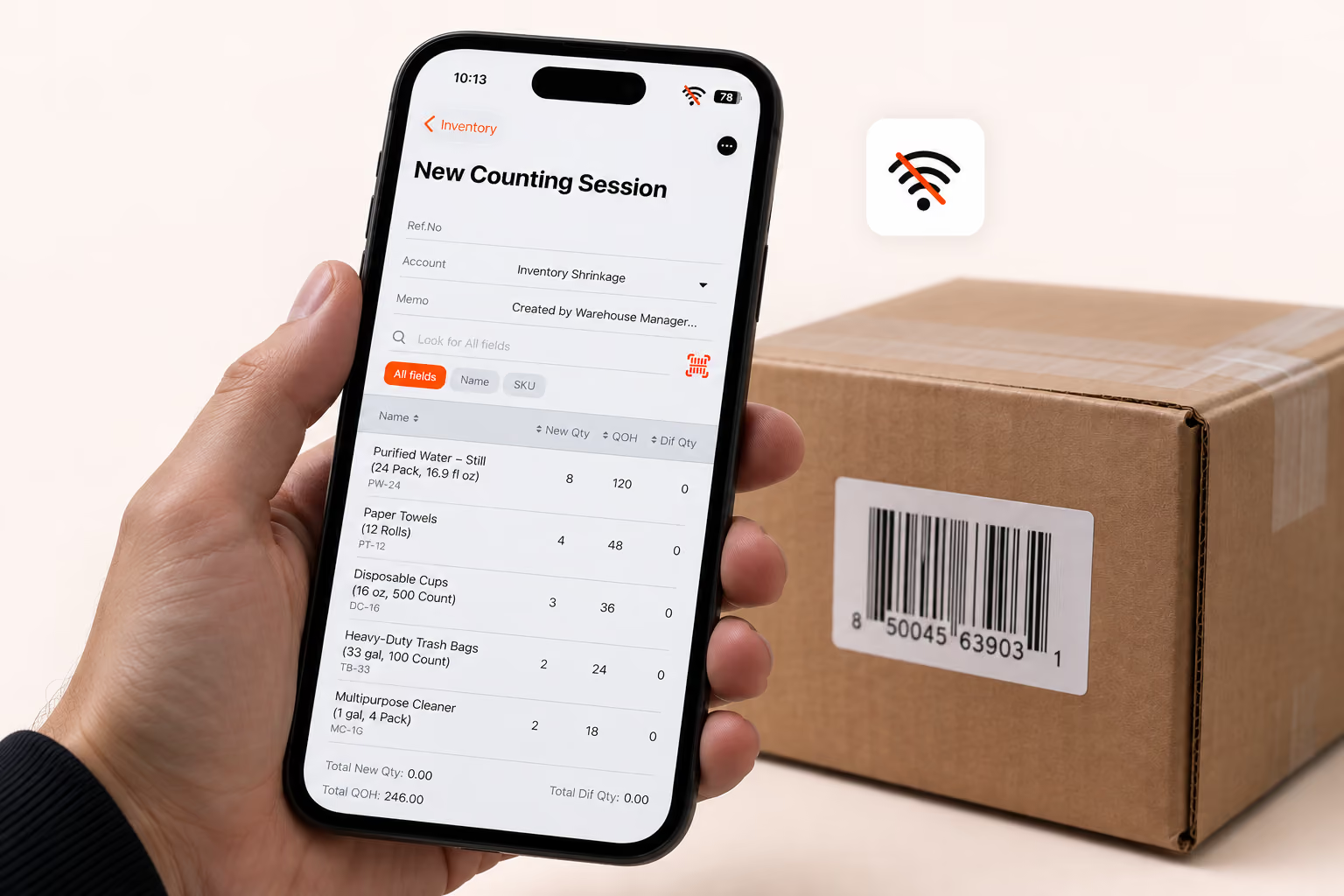
Keep working when the connection drops

Most mobile inventory features remain available offline, with records syncing once the device reconnects. HandiFox Online runs on Android and iOS; HandiFox Desktop runs on Android. Learn more about barcode scanning and the mobile inventory app.

Keep warehouse activity connected to QuickBooks

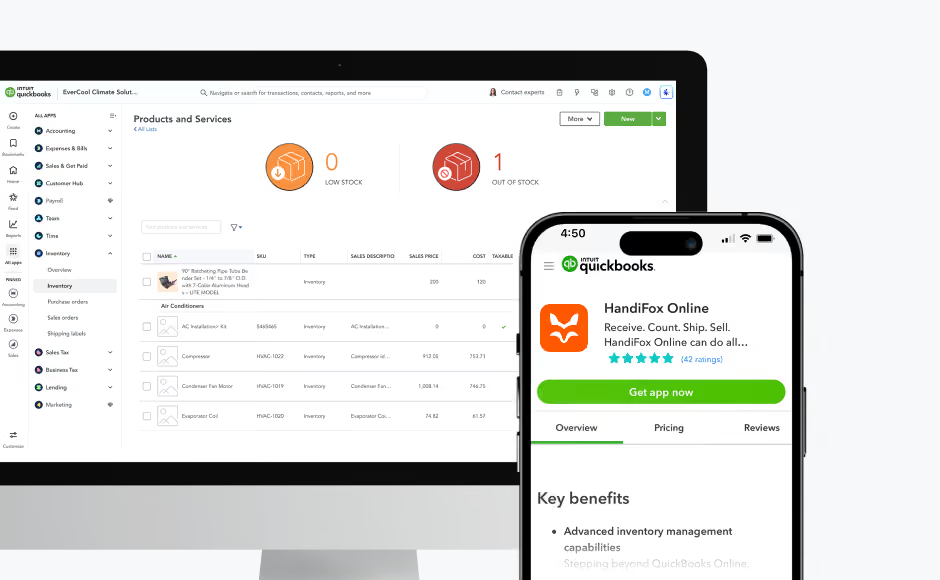
HandiFox Online connects with QuickBooks Online, while HandiFox Desktop connects with QuickBooks Desktop.

Sync inventory and accounting data

HandiFox Online connects with QuickBooks Online, while HandiFox Desktop connects with QuickBooks Desktop. Data syncs both ways, with updates typically reflected when work is saved.

Review inventory, purchasing, and sales reports

Customize reporting by warehouse, supplier, customer, or other dimensions your team needs to review.

Trusted by small businesses
that need inventory to stay accurate

HandiFox helps growing teams replace manual inventory work with faster, more reliable workflows connected to QuickBooks.

300+ SMBs

run inventory with HandiFox

16+ years

automating SMB inventory

4.9/5

on QuickBooks App Store

How Beach City Supply standardized units across sales and purchasing

The integration was very easy. The app offers multi-levels of measure for each sku that can all talk to QuickBooks helping maintain and adjust inventory

Charles Jameson

Beach City Supply

The challenge

Beach City Supply manages a wide range of SKUs and needed inventory, sales, and purchasing to stay aligned across two locations.

The result
  • Better inventory control across two locations
  • Units of measure aligned between sales, purchasing, and QuickBooks
  • Easier handling of products sold by unit, case, or master case
  • Fast onboarding with training videos and ongoing support
With Handifox

The team connected HandiFox with QuickBooks, set up multiple units of measure for each SKU, and used the same unit logic across sales and purchasing.

Distributors and wholesalers running on HandiFox

Blue Mountain Distributors
Jeff Kocha
(Ohio, USA)
“Looked at so many software packages out there none had the dynamics of Handifox. Bill and his crew have looked at all the competition and designed a package that includes all the whistles and bells of the $10,000.00 and up packages.”
Rowan Woodwork
Owen Marmaduke
(Ohio, USA)
“Working with Ruslan and the HandiFox system support team gave us a fast track to optimizing our millwork's production inventory. We've been impressed with the co-accounting functionality in QuickBooks and the price point delivers more than needed performance. HandiFox is a win!”
Power by GoGreen
Lorne Singer
(Ohio, USA)
“The team at Handifox is absolutely wonderful. Anytime I have ever reached out, I have an answer within minutes. Whether it would be a remote session, email, or phone call, they make sure what you need is always accomplished.”
Gulfstream Lures
(Ohio, USA)
“It does so much more than keeping inventory. It will streamline your entire sales process. You can keep track of multiple sites, assign bin locations inside of your warehouse to easily locate items, assign barcodes to your clients, and the list goes on and on. We can even enter reorder points and have purchase orders generated when stock levels hit the desired reorder level.”

About HandiFox

Support you can count on: real people + smart AI
HandiFox backs you with a team of inventory pros and an in-app AI guide that’s always a click away. Whether you’re stuck or scaling, help is built right into your workflow.
Automate it all: inventory, orders, and sales
Say goodbye to clunky spreadsheets. HandiFox automates stock counts, purchase orders, and sales, plus barcode and QR scanning, to keep your business humming and your hands free.
QuickBooks sync: inventory and finance in perfect step
HandiFox syncs with QuickBooks Online and QuickBooks Desktop in real time, keeping your numbers sharp and your books balanced. It’s like your inventory and accounting just became best friends (with benefits).

Where HandiFox fits, and where a full ERP makes more sense

HandiFox is a good fit if you…

Accurate wholesale inventory management across multiple warehouses

Reordering based on stock levels, reorder points, and demand

Purchasing, order fulfillment, and inventory workflows connected to QuickBooks

Inventory software for wholesale operations without full ERP complexity

A full ERP makes more sense if you need…

Complex finance across multiple entities or business units

Advanced production planning or manufacturing execution

Highly customized global workflows across many departments

A broader enterprise platform spanning finance, operations, and manufacturing

Wholesale distribution software FAQs

1. Can HandiFox manage wholesale inventory across multiple warehouses?
Yes. Each warehouse is a separate location holding its own quantity, with the company total rolling up from all of them. Stock is transferred between sites and recorded at both ends, and bin locations can be assigned inside a warehouse so pickers find items quickly rather than searching shelves.
2. How does HandiFox support purchasing and replenishment?
You set reorder points and a desired quantity on hand per item, and per warehouse where sites move at different rates. When stock reaches a threshold, HandiFox builds a restocking suggestion and turns it into a prepopulated purchase order. Preferred and alternative vendors are assigned per item, so the order knows your supplier.
3. Can warehouse teams receive, count, pick, and ship with mobile devices?
Yes. Teams work from a phone or tablet using the built-in camera or a Bluetooth barcode scanner, covering receiving, counts, transfers, picking, packing, and shipping. Most features keep working without a connection and sync once back online. HandiFox Online supports Android and iOS; HandiFox Desktop supports Android.
4. Does HandiFox integrate with QuickBooks Online and Desktop?
Both, through two products. HandiFox Online connects to QuickBooks Online, HandiFox Desktop to QuickBooks Desktop. The exchange runs both ways and continuously — a full synchronization happens each time you save your work.
5. Is HandiFox a fit for a distributor that does not need a full ERP?
That is the intended fit. HandiFox covers operational inventory, purchasing, and fulfillment for businesses running their accounting in QuickBooks. It does not provide enterprise financial consolidation, production planning, or heavy customization - those are reasons to look at an ERP instead.
6. How many SKUs and warehouses can HandiFox handle?
HandiFox supports businesses managing thousands of SKUs across multiple warehouses. Limits vary by product and plan -  see the HandiFox pricing page for current allowances, or contact our team if you need help choosing the right setup.

Ship from a number you can trust

Accurate stock by warehouse, replenishment before stock runs low, and orders that move from picking to invoicing without duplicate entry.

Or call + 1 877 942  6343

Sizzling July savings!
Get up to 35% off HandiFox Online and HandiFox Desktop.
Save now