Reduce shipping errors with pick and pack software

Stop shipping the wrong items and wasting time on manual picking.
HandiFox pick and pack software uses barcode verification to help your team ship every order right the first time.
Automated shipment verification
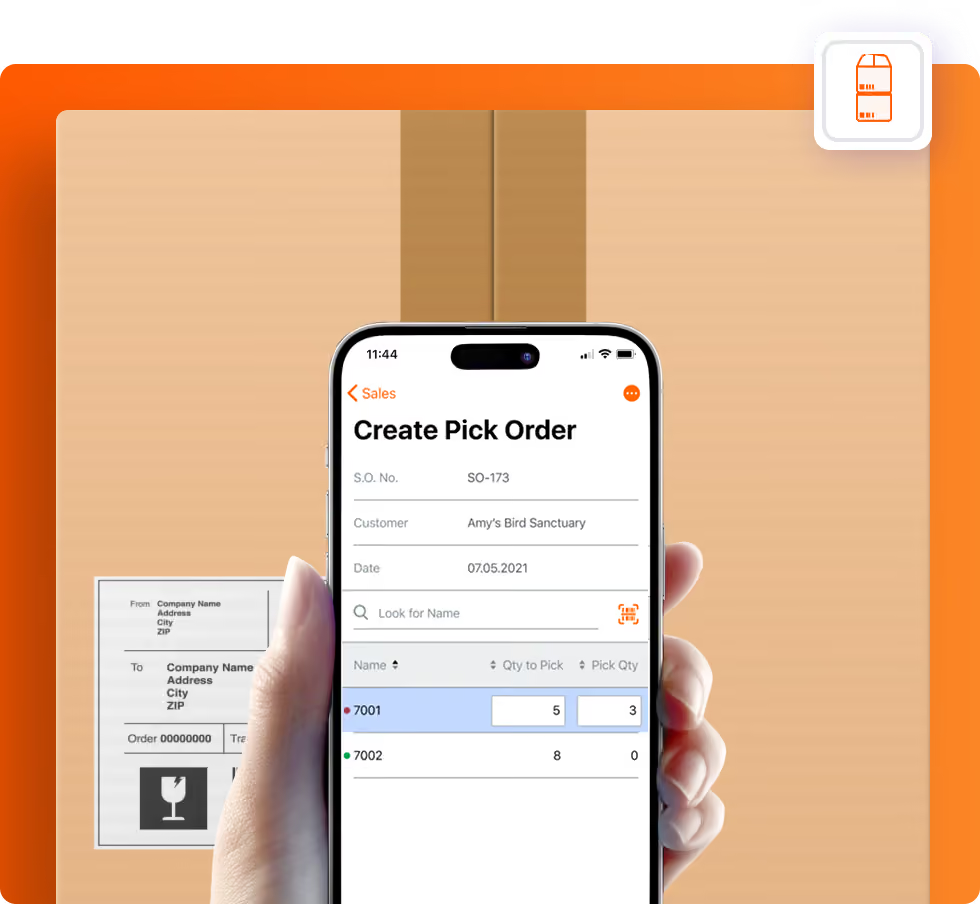
Populate a pick list with bin locations to set aside products ordered by customers.
Scan products’ barcodes while picking and packing to eliminate human errors.
Pick and pack orders partially or in full.
Print packing slips to ensure shipping accuracy.
Auto-generate invoices based on the packed orders.

How pick and pack order fulfillment works in HandiFox Online

Step 1

Generate a pick list from open orders

Step 2

Scan items while picking to verify accuracy

Step 3

Scan again during packing for final confirmation

Step 4

Check the order via barcode scanning right before delivery

Step 5

Print packing slip and auto-generate invoice

Pick, pack, and deliver faster, with near-perfect accuracy

Guide your team with optimized pick lists
Populate a pick list with bin locations to set aside products ordered by customers.
Eliminate picking errors with barcode verification
Scan products’ barcodes while picking and packing to eliminate human errors.
Stay flexible with partial order fulfillment
Pick and pack orders partially or infull, with backorders generated automatically for items still pending.
Ship with confidence using accurate packing slips
Generate clear, accurate packing slips for every order to reduce confusion and prevent shipping mistakes.
Maximize order accuracy with a third verification step
Add an extra layer of control— catch discrepancies that slip through picking and packing, so costly errors never reach your customer.
​​Save time with automatic invoice generation
Turn packed orders into invoices instantly, no manual entry required.

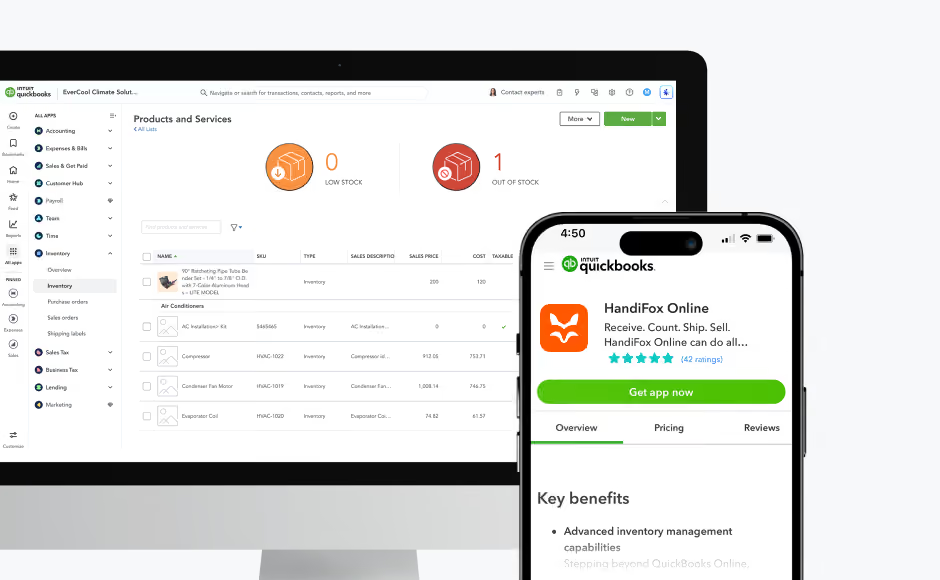
Built for QuickBooks users who need accurate order fulfillment

Seamless QuickBooks integration means no lost orders, no double entry, and complete control over your warehouse accounting.
accurate barcode scanner app
Orders flow seamlessly from QuickBooks into HandiFox for picking and packing
Invoices are generated automatically as soon as orders are fulfilled
Completed invoices sync back to QuickBooks in real time
Inventory updates instantly across both systems

Why growing warehouses choose HandiFox over complex WMS systems?

No ERP-level complexity, cost, or disruption
Fast onboarding with guided workflows
Mobile-first picking and packing
5-star rated tech support whenever you need it

Proof that HandiFox delivers

Glenn Ethier, Northeast Municipal LLC
(Ohio, USA)
Ruslan and the team at Handifox are top notch. Any issues have been resolved in a timely manner. The product is amazing.
Nate Nisly, Open Gates Group
(Ohio, USA)
Handifox has been a valuable tool for our warehouse team! Their attention to detail and assisting in a timely and professional manner as needed, is much appreciated!
Jessican Schlager, Tevan Enterprises
(Ohio, USA)
Our company has 8 employees, and everyone uses the system. Our Sales/Deliverystaff use the system to do field sales and invoice on the road. The accounting staff uses the QuickBooks desktop interface daily, and the warehouse staff uses the program to receive product, as well as pick and pack orders.

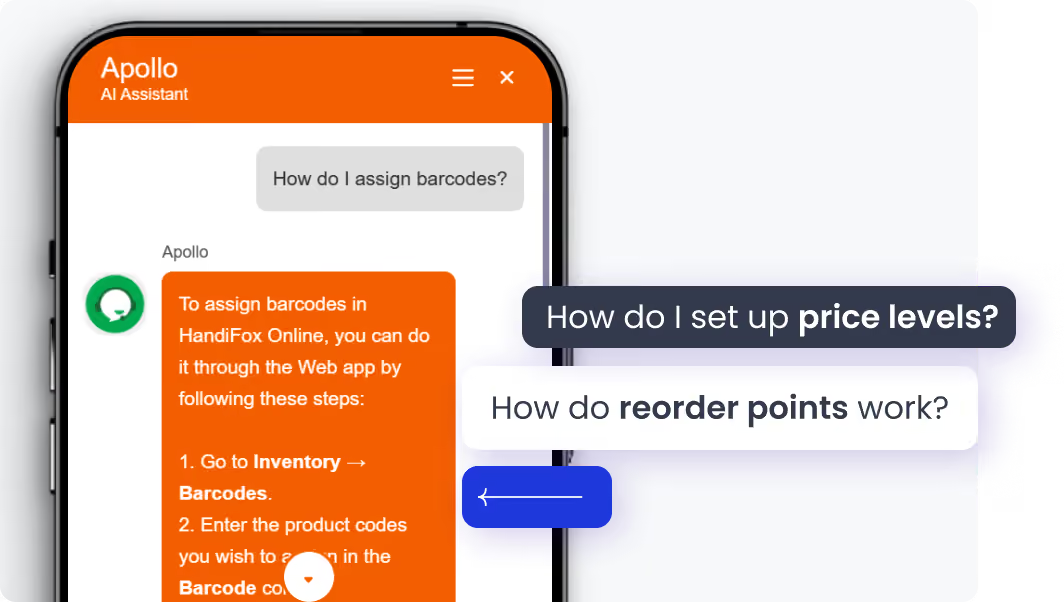
Jumpstart with AI in inventory management automation

Our built-in AI assistant accelerates your inventory workflow from day one. Whether you're setting up stock locations or navigating orders, our AI helps you get it right the first time.
Instant onboarding support
Real-time task guidance
Fewer errors, faster execution
No manuals. No guesswork. Just answers.
Start free trial

Finally, inventory software that adapts to you

Picking and Packing FAQs

1. How does HandiFox improve the accuracy of picking orders?
HandiFox uses barcode scanning to verify each item as it’s picked, ensuring every order is accurate before shipping. This process virtually eliminates manual mistakes and helps warehouse teams handle picking orders in a warehouse with precision and speed.
2. Can I handle multiple orders at once when picking and packing?
Yes. HandiFox can generate a master pick list that consolidates items from multiple orders, allowing your team to pick products for several customers in one efficient run. This saves walking time, reduces handling effort, and keeps picking and packing organized even during peak order volumes.
3. Does HandiFox support partial order fulfillment or backorders?
Absolutely. You can pick and pack orders partially or in full depending on stock availability. The system tracks what’s shipped and what’s still pending, keeping your picking orders process transparent and ensuring customers always know what to expect.
4. How does picking and packing software save time during shipping?
HandiFox automates much of the fulfillment workflow. Once items are picked and scanned, packing slips and invoices can be generated instantly—no double entry or manual reconciliation required. This streamlines operations and ensures every shipment leaves the warehouse faster and with fewer errors.
5. What is the third stage used for in HandiFox fulfillment?
The third stage is typically used to verify what is actually delivered after picking and packing are complete. It is especially useful for delivery teams, route drivers, or staff who finish the order on-site. This extra step helps reduce handoff errors and improves control over what reaches the customer.

Recent posts from our Blog

Spring Special: 25% OFF HandiFox Desktop + Support — April Only
Your Spring savings won’t last!
Take 25% OFF the HandiFox
Desktop Bundle until April, 30
Get free trial + discount