.svg)




Key takeaways
- There are three primary scanner setups for inventory management. SMBs typically choose between rugged handheld inventory scanners, smartphone-based scanning, or hybrid smartphone + Bluetooth scanner models, each balancing cost, speed, and durability differently.
- Rugged handheld scanners deliver maximum speed and durability. Industrial devices (e.g., Zebra-style mobile computers) are ideal for high-volume warehouses where scanning is constant and downtime is costly.
- Smartphone scanning lowers the barrier to entry. Using a smartphone as a scanner for inventory management offers affordability and flexibility, making it suitable for lighter warehouse operations, retail backrooms, and field teams.
- Hybrid setups often provide the best ROI for growing SMBs. Pairing smartphones with Bluetooth laser scanners delivers near-industrial performance at a lower cost, making it a strong middle-ground solution.
- Software enforcement matters more than hardware alone. Scanning hardware improves input speed, but inventory accuracy depends on software that validates items, prevents errors, syncs data in real time, and integrates with accounting systems.
If you’re evaluating scanners for inventory, you’re likely past the “Should we use barcodes?” stage. The real question now is: Which scanning setup gives us the best balance of speed, durability, and cost?
There are three realistic options for small and mid-sized businesses:
- Rugged handheld inventory scanners (Zebra-style mobile computers)
- Smartphones used as a scanner for inventory management
- Smartphones paired with Bluetooth scanners
Each option can work. The right one depends on your order volume, warehouse environment, and growth plans. Let’s compare them practically.
Option 1: Rugged Handheld Inventory Scanners (Zebra-Style Devices)
These are all-in-one industrial devices with built-in laser scanners and hardened casings. They’re designed for warehouses that scan constantly.
They excel in environments where scanning happens hundreds or thousands of times per day. If your team works long picking shifts, drops devices on concrete, or scans through shrink wrap at a distance, rugged handheld inventory scanners deliver performance that consumer devices can’t match.
The scanning engine is fast and forgiving. The battery lasts an entire shift. The device is built to survive impact.
The trade-off is cost. A Zebra or similar unit can range from $800 to $2,000 per device. For small teams, that’s a meaningful investment. For high-volume warehouses, it’s often justified quickly through labor savings and error reduction.
This setup is typically the right choice when scanning is mission-critical to fulfillment accuracy.
Option 2: Smartphone as a Scanner for Inventory Management
Modern inventory systems allow smartphones to function as scanners using the built-in camera.
For many SMBs, this is the entry point into barcode workflows. The barrier to adoption is low. Devices are familiar. Replacement costs are manageable.
Camera-based scanning works well for:
- Receiving moderate volumes
- Sales reps checking stock in the field
- Retail backrooms
- Light picking operations
However, there are limitations.
Camera scanning is slower than laser scanning in high-volume environments. It requires better lighting. It can struggle with damaged or low-quality barcodes. Consumer phones are also more fragile unless protected with rugged cases.
For growing operations, smartphone-only setups are often a transitional phase rather than a permanent solution.
Option 3: Smartphone + Bluetooth Scanner (Hybrid Model)
This is where many SMBs find their sweet spot.
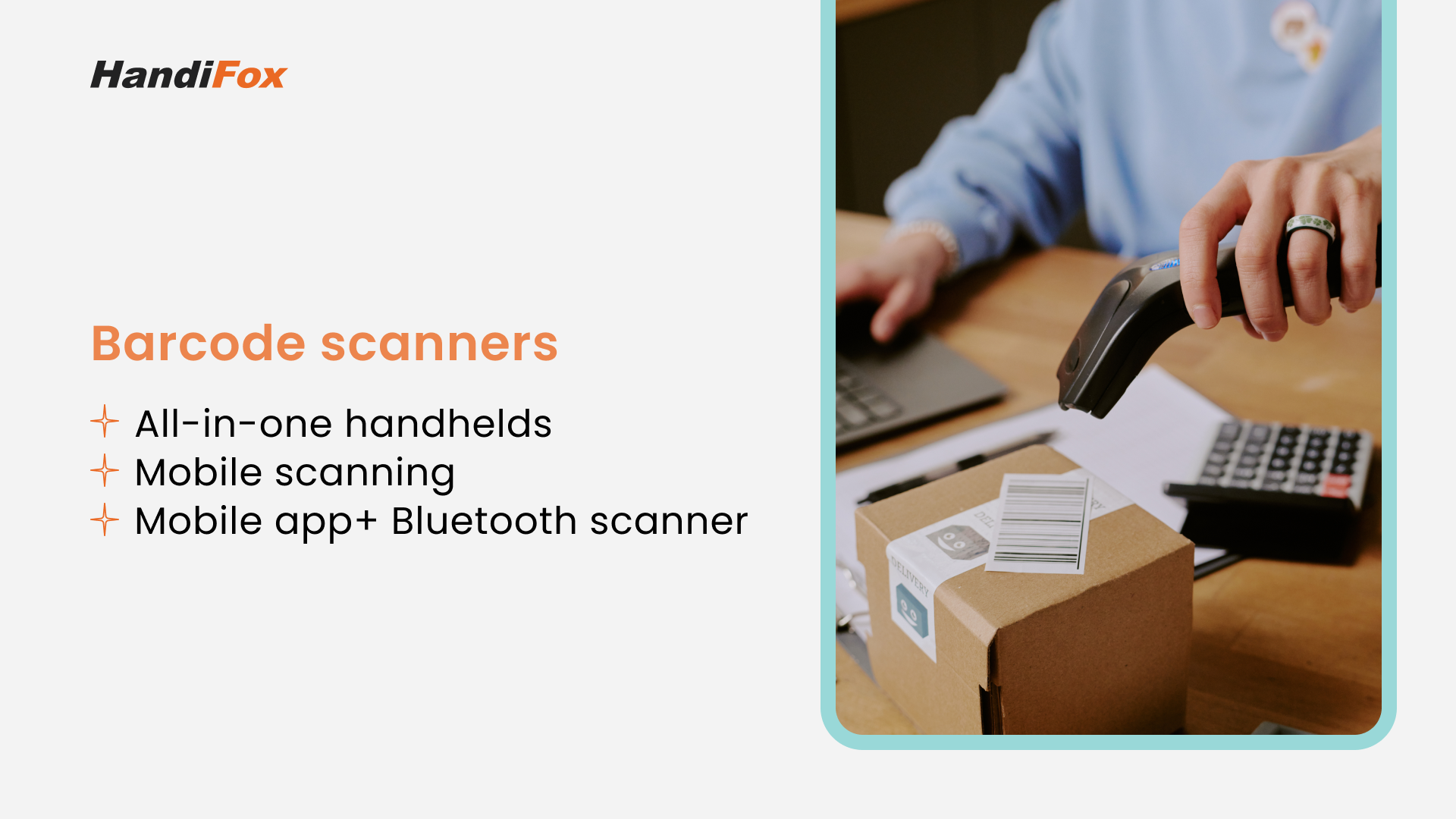
Instead of investing in full rugged handheld inventory scanners, businesses pair smartphones with Bluetooth laser scanners — either pistol-grip or ring-style devices.
The smartphone becomes the screen and processing unit. The Bluetooth scanner handles fast laser reads.
This setup offers:
- Faster scanning than camera-only
- Lower cost than rugged computers
- Flexible replacement options
- Easier scalability
It’s especially effective in pick and pack environments where speed matters, but industrial durability isn’t extreme.
For many small warehouses, this hybrid approach delivers 80–90% of the performance of rugged devices at a fraction of the cost.
Explore the detailed breakdown of mobile scanning vs. dedicated barcode scanners in this guide.
Which Scanner Setup Fits Your Warehouse?
If your business processes 20–50 orders per day and is transitioning from spreadsheets, a smartphone-based scanner for inventory management may be entirely sufficient.
If you’re processing 200+ orders daily and picking accuracy directly impacts customer retention, rugged handheld inventory scanners are often worth the investment.
If you fall somewhere in between, and most SMBs do, the hybrid smartphone + Bluetooth approach offers the strongest return on investment.
The important thing to understand is that hardware decisions should be based on workflow intensity, not brand recognition.
Discover the best barcode scanners for small businesses.
The Hidden Costs and Tradeoffs of Inventory Scanning Hardware
Once you narrow down the type of scanner you’re considering, the next step is looking beyond the sticker price. When choosing scanners for inventory, the real cost often reveals itself only after devices are in daily use.
With consumer smartphones, the hidden costs tend to surface through operational friction rather than upfront expense:
- cracked screens or damaged cameras from frequent drops
- battery degradation that shortens usable shift time
- downtime when devices fail mid-pick or mid-receiving
- replacement delays during busy periods
Protective cases help, but they don’t fully eliminate these risks — especially in fast-paced warehouse environments where devices are constantly in motion.
Rugged handheld inventory scanners are designed to avoid many of these issues. They withstand drops, dust, and long shifts with far fewer interruptions. The tradeoff, however, isn’t limited to the higher upfront investment. Standardizing on a rugged device often means committing to:
- longer hardware refresh cycles
- vendor-specific batteries and accessories
- a more structured replacement strategy
For some operations, that consistency is a strength. For others, it can limit flexibility as workflows evolve.
Hybrid setups (smartphone+bluetooth scanner) sit between these two extremes. Bluetooth scanners and smartphones can be upgraded or replaced independently, spreading risk and cost over time. For many SMBs, this balance matters more than having the fastest scan engine available.
Matching Scanner Type to Your Warehouse Workflow
Once you understand the cost and durability implications, the next question becomes practical: how does each option perform in your actual day-to-day operations?
In receiving-heavy environments, where teams process inbound shipments in concentrated bursts, scanning speed and tolerance for damaged barcodes matter most. Laser-based scanning, whether from rugged handheld inventory scanners or Bluetooth devices, keeps receiving efficient and prevents congestion at the dock.
Pick-and-pack fulfillment introduces different priorities. Here, accuracy, comfort, and repeat scanning speed outweigh extreme ruggedness. Hybrid setups often excel because they:
- support fast, repetitive scanning
- keep interfaces simple for pickers
- scale easily during seasonal demand spikes
This makes them particularly effective for SMBs shipping dozens or hundreds of orders per day.
Mobile teams and service vehicles operate under yet another set of constraints. For these workflows, smartphones acting as a scanner for inventory management reduce friction by consolidating scanning, invoicing, and stock updates into a single device.
Retail backrooms and mixed-use spaces tend to fall somewhere in between. With lighter scanning volume and shared devices, mobile or hybrid setups often strike the best balance between cost, flexibility, and usability.
Seen together, these scenarios reinforce a single idea: scanner hardware should follow the workflow, not dictate it. When device choice aligns with how inventory actually moves, accuracy becomes a natural outcome instead of a constant correction effort.
The Software Layer Still Determines Success
No matter which scanners for inventory you choose, accuracy comes from the software enforcing process logic.
A proper inventory system should:
- Validate that the scanned item matches the order
- Prevent over-picking or under-picking
- Capture lot and serial numbers when required
- Update quantities instantly across locations
- Sync with accounting automatically
Without that logic, even premium handheld inventory scanners won’t prevent errors. This is where integration matters.
HandiFox works across all three hardware approaches:
- Runs on Android rugged mobile computers
- Operates on standard smartphones
- Supports Bluetooth scanners
- Syncs directly with QuickBooks
Because the system is hardware-agnostic, you can upgrade your devices without rebuilding your inventory process.
The Real Decision Isn’t Hardware
Most growing businesses don’t fail because they picked the wrong scanner. They struggle because:
- Receiving isn’t validated.
- Picking isn’t enforced.
- Inventory updates lag behind physical movement.
- Accounting and warehouse data don’t match.
Scanners for inventory solve input speed whereas inventory management systems solve operational accuracy.
If you're comparing handheld inventory scanners and want to see how each setup performs inside a structured warehouse workflow, request a HandiFox demo and test it with your real process, not just the spec sheet.