Advanced mobile inventory management for QuickBooks Desktop

Add barcode-driven workflows and mobile inventory control to QuickBooks Desktop, without replacing your accounting system or retraining your team
quickbooks inventory management

Built for QuickBooks Desktop users who rely on inventory

HandiFox Desktop is ideal for small and mid-sized businesses that depend on QuickBooks Desktop for accounting and need faster, more accurate inventory operations beyond the office.
accurate barcode scanner app
There’s almost no learning curve – it looks like an extension of the accounting software that you’re already familiar with
Utilize a barcode-enabled mobile inventory app that syncs with HandiFox Desktop in the office
Connect your inventory and accounting seamlessly

Bring mobility to QuickBooks Desktop, without going cloud-first

HandiFox Desktop extends the life and value of QuickBooks Desktop by bringing modern inventory execution to warehouses and field teams, while keeping your accounting exactly where it is.
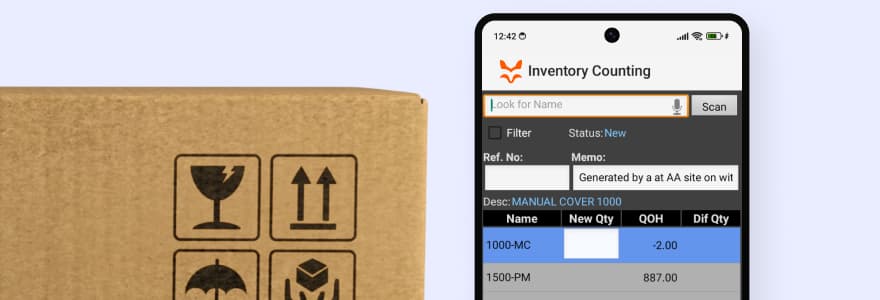
Scan, receive, count, pick, pack, and sell inventory on Android devices
Keep warehouse and field teams in sync with the office in real time
Operate reliably even in demanding, fast-moving environments

Powerful inventory workflows without QuickBooks Advanced Inventory

You don’t need to upgrade to QuickBooks Advanced Inventory to access these features. They’re available through HandiFox Desktop.
Barcode-driven operations
Speed up receiving, counting, picking, packing, and sales while eliminating manual entry errors.
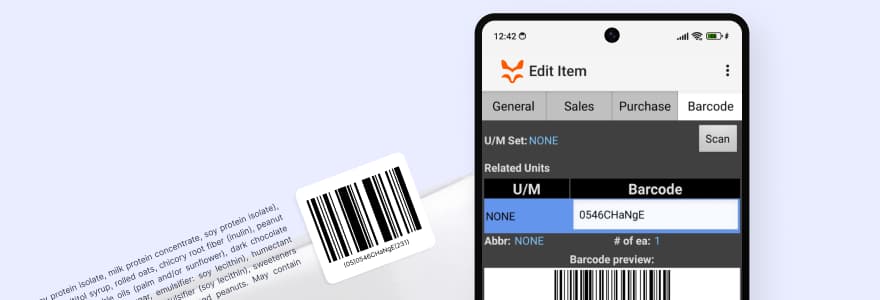
Multiple barcodes per item
Assign multiple barcodes to one product: for example, one for each unit of measure.
Multi-warehousing
Track inventory across multiple warehouses and move stock between locations with full visibility.
Pick & pack fulfillment
Verify orders with barcode scanning to ensure fast, accurate shipments every time.
Mobile inventory management
Scan, receive, count, pick, pack, and sell right from your mobile phone (Android). Work and save progress while WiFi is unstable.
Mobile printing
Print transactions right from your phone: counting sessions, pick lists, packing slips, etc.

Jumpstart with AI in inventory management automation

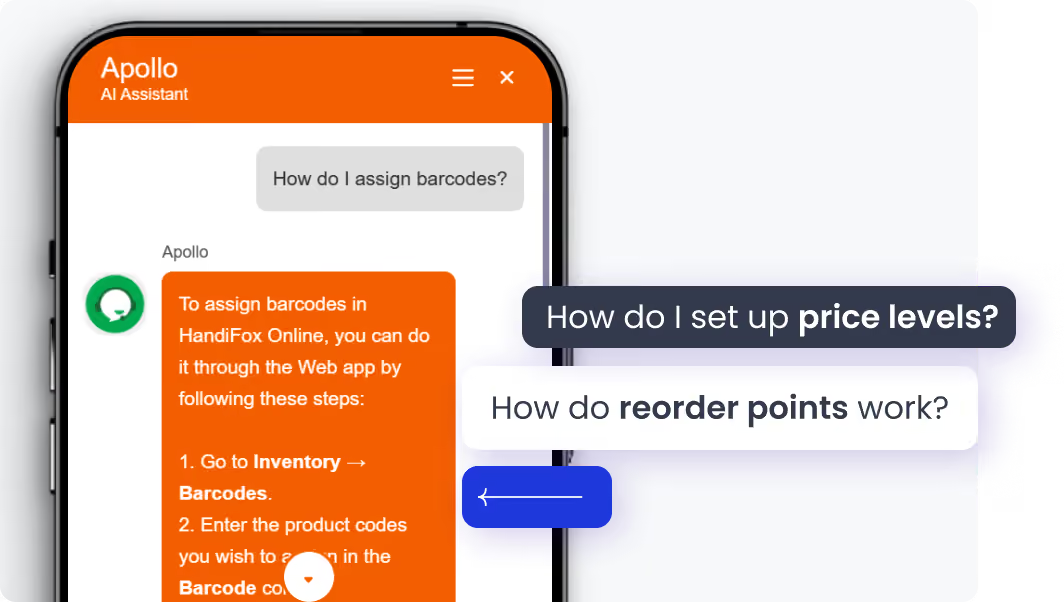
Our built-in AI assistant accelerates your inventory workflow from day one. Whether you're setting up stock locations or navigating orders, our AI helps you get it right the first time.
Instant onboarding support
Real-time task guidance
Fewer errors, faster execution
No manuals. No guesswork. Just answers.
Start free trial

Delivering results for every business

Bainbridge Manufacturing
(Ohio, USA)
“At Bainbridge Manufacturing we started using HandiFox along with a scanner to manage our inventory of 3,500 SKUs integrated with QuickBooks Desktop. Their team went above and beyond to configure QuickBooks to work seamlessly with their system. Their technical support and customer service were exceptional, making the entire process smooth and stress-free.”
Deco Salon Furniture
(Ohio, USA)
“Good system, does everything I need and I can customize it as well. Support is always available and very helpful. Works seamlessly with QuickBooks Desktop.”
The Deck Store
(Ohio, USA)
“It works really well with QuickBooks Desktop -  all our items and customer info show up in the app, and everything syncs back smoothly after we finish our work. If you’re a small or mid-sized business looking for a mobile inventory solution that works well with QuickBooks, I highly recommend giving HandiFox a try.”

HandiFox Desktop + QuickBooks Desktop FAQs

Is QuickBooks Desktop really going away?
QuickBooks Desktop is being phased out for new customers, but many businesses continue to use it today. HandiFox Desktop is designed to support existing QuickBooks Desktop users who want to keep their inventory operations running efficiently without rushing into major changes.
Do I need to upgrade to QuickBooks Desktop Enterprise to use HandiFox?
No. HandiFox Desktop works with QuickBooks Desktop Pro and Premier, adding barcode scanning, mobile inventory management, and advanced workflows without the cost or complexity of Enterprise.
Can my warehouse and field teams use HandiFox without touching QuickBooks?
Yes. Warehouse and field staff use the HandiFox mobile app, while accounting remains in QuickBooks Desktop. Inventory data is synchronized automatically — no direct QuickBooks access required.
How long does it take to get up and running?
Most businesses are up and running quickly. Because HandiFox Desktop mirrors familiar QuickBooks workflows, training time is minimal for both office and warehouse teams.

Finally, inventory software that adapts to you