



.svg)


Truck stock needs regular counts
Van stock moves through the week and is often counted after the fact. Mobile inventory updates help teams record usage closer to the work.
Track parts across the warehouse and every service vehicle. HandiFox helps HVAC and plumbing teams record counts, transfers, reordering, invoicing, and field use from the same inventory system connected to QuickBooks.

Van stock moves through the week and is often counted after the fact. Mobile inventory updates help teams record usage closer to the work.
Crews need to confirm whether the fitting listed for a job is available before they leave. Current inventory data helps the team check stock without another trip.
When materials are installed, the inventory record needs to move with the transaction so the next crew sees available stock correctly.
Warehouse, truck, and invoice records should reflect the same activity instead of separate updates entered later.
Track and move inventory across warehouses and trucks, so crews leave with the parts they need. Every stocked location holds its own quantity, and the company total rolls up from all of them. That is what inventory control across a fleet actually means: nobody runs out because nobody could see the number.

Keep the main stock of parts, fittings, and equipment accurate as inventory is received, counted, and issued to service vehicles.
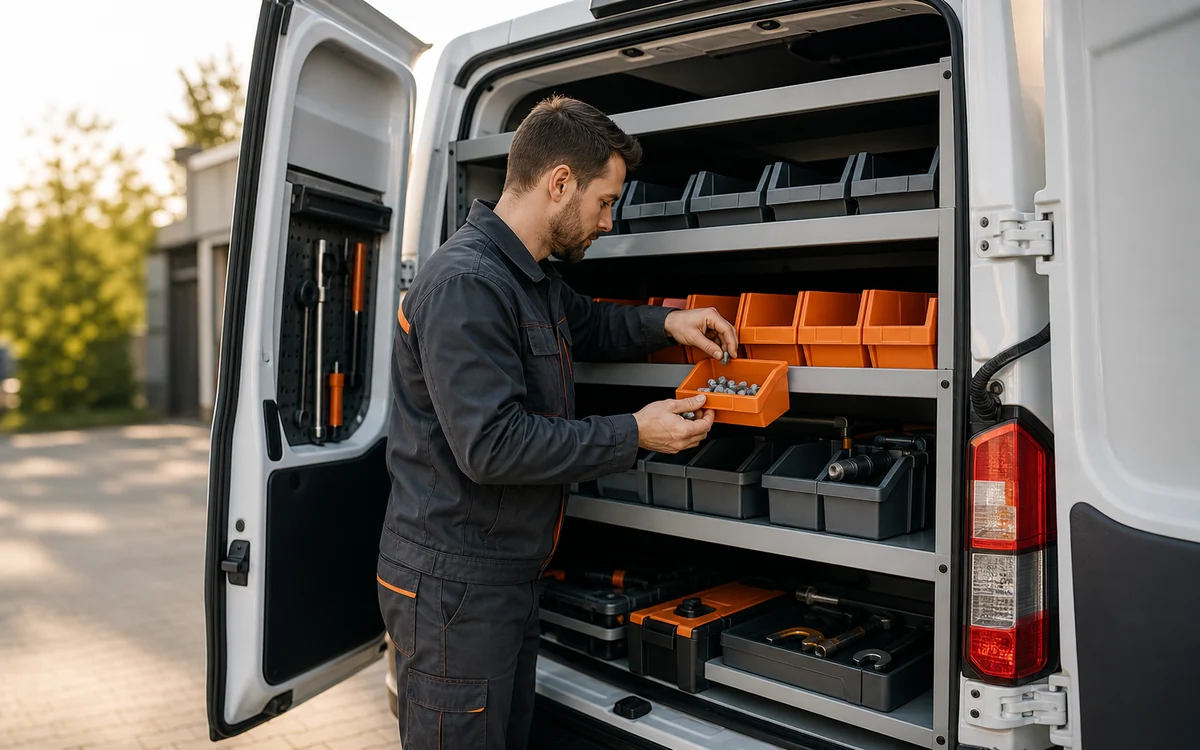
Treat each service vehicle as its own inventory location, with a clear record of what was loaded, used, transferred, or returned.

Record parts as crews use them during service, so truck quantities stay current and the next restock starts from a real number.
Use HandiFox to see warehouse and truck quantities in one place, then move parts between stocked locations without losing the trail. Learn more.
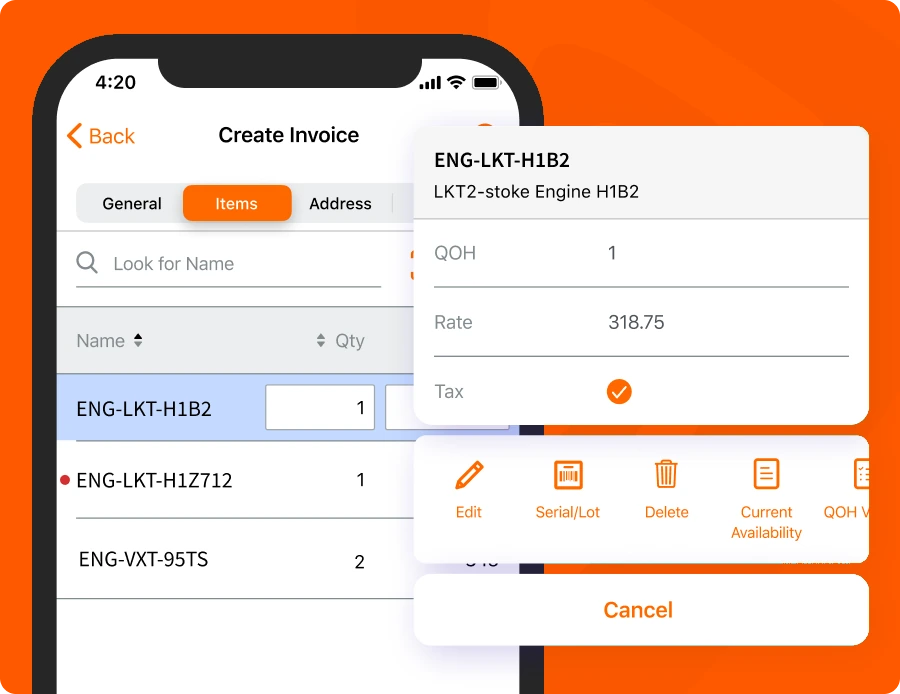
Installation and repair crews receive, count, transfer, and sell stock from the device in their pocket. Invoices and receipts are generated and printed before the crew leaves the customer, so the paperwork closes with the work rather than three days later at a desk.
Most features keep working when the signal drops — counts, adjustments, and new transactions record offline and sync once the device is back online. HandiFox Online runs on Android and iOS; HandiFox Desktop on Android.
Learn more about the HandiFox mobile inventory app.
For HVAC and plumbing teams, the same workflow often starts with a part in a bin and ends with a purchase order. HandiFox connects barcode scanning, serial traceability, reorder points, and buyer-reviewed replenishment in one inventory process.
Generate and print 1D and 2D barcode labels on the spot, so parts that arrive unlabeled still scan. Scanning speeds up receiving, warehouse-to-truck transfers, and stock counts. Details on barcode scanning.
Serial number tracking gives traceability and quick part identification in warranty cases. Follow a specific unit from the purchase order it arrived on to the customer it was installed for. More on serial and lot tracking.
Reorder points are set per item and per location, so a busy service truck and a slow-moving warehouse shelf are not measured against the same number.
When stock reaches a threshold, HandiFox builds a restocking suggestion from the reorder point and desired quantity on hand. The suggestion becomes a prepopulated purchase order that your buyer reviews before sending. See how purchase orders and receiving work.
One sales route, with the inventory movement recorded at every stop.
Start with the customer record, then add the parts and service being sold. Customer and vendor records stay connected to the transaction.
Create the order before truck stock changes, so the transaction has a clear starting point.
Record the part against the vehicle’s quantity when the crew takes it from the truck.
Generate and print the invoice or receipt, so the office sees the completed transaction without manual re-entry.
The same customer and vendor data used by the office is available to the field workflow. Learn more.
More on the QuickBooks inventory integration.
HandiFox is inventory software. It does not replace a field service platform for:
Contractors who need both usually use a scheduling system for the calendar and HandiFox for the parts behind it.
Map each warehouse and service vehicle, connect the right QuickBooks product, and configure the workflows your crews will use before go-live.
Support after go-live. The support center, getting-started guide, and training resources remain available after launch. Available support channels depend on your plan.

Review warehouses, trucks, users, mobile devices, current inventory data, and whether you run QuickBooks Online or QuickBooks Desktop.

Inventory data is imported and synchronized with QuickBooks, then locations, user access, barcode workflows, and reorder points are configured.

Crews train on receiving, transfers, counts, and field sales, then validate each selected workflow before launch.

“Handifox has been a great software for us. Support staff have always been available and quick to respond. They are always willing to work with me on custom requests tailored to our specific needs.”
Responsive support and a team willing to work with the company's specific operating needs.
Serial numbers tracked from purchase order to end sale to support warranty work.
Ultra A&C Solutions explains why the company chose HandiFox and what changed after implementation.
HandiFox combines long-term inventory experience with guided implementation and customer ratings published on independent software platforms.
run inventory with HandiFox
building SMB inventory software
on QuickBooks App Store
Yes. Each warehouse and each service vehicle is set up as its own location, holding its own quantity. Stock is transferred between them and recorded at both ends, and the company total rolls up from every location. That gives a manager one number for the business and an accurate number for each truck.
Yes. Crews use the mobile app to receive stock, run counts, transfer parts between locations, record sales, and generate and print invoices and receipts at the customer location. Work recorded on the device reaches the same system the office works from, so nothing waits for manual entry.
HandiFox Online has native apps for Android and iOS. HandiFox Desktop supports Android devices for work outside the office. Most features keep working without a connection, and records sync once the device is back online. Recommended device models and OS versions are listed in the system requirements.
Reorder points are set per item and per location, so each vehicle has its own thresholds. When stock reaches one, HandiFox builds a restocking suggestion from the reorder point and the desired quantity on hand, and turns it into a prepopulated purchase order for your buyer to review and send.
No. HandiFox is inventory software, not a field service management platform. Job scheduling, dispatch, technician routing, and appointment booking are outside its scope. It covers the parts side: what is in the warehouse, what is on each truck, what was used on a job, and what needs reordering.
The choice follows your accounting. HandiFox Online integrates with QuickBooks Online and gives you web plus Android and iOS access. HandiFox Desktop integrates with QuickBooks Desktop and uses Android devices for work beyond the office. Both cover multi-location inventory, barcodes, reordering, and mobile operations.
Know what is in the warehouse, what each vehicle is carrying, and what the next job will need — with the numbers reaching QuickBooks without a second round of entry. Start a free trial, or walk through your own warehouse and fleet with our team.
Or call +1 877-942-6343 to talk through your setup.


