.svg)




Key Takeaways
- Mobile inventory apps eliminate operational blind spots. An Android inventory app puts real-time inventory data directly in the hands of warehouse staff and field teams, removing delays caused by desktop-only systems.
- Real-time updates improve accuracy and speed. Recording transactions the moment they happen prevents outdated data, reduces errors, and keeps inventory levels accurate across locations.
- Barcode scanning replaces manual entry errors. Using a smartphone or industrial scanner to scan items ensures precise receiving, picking, and counting, no handwriting, no guesswork.
- Field teams gain autonomy and agility. Sales reps and technicians can check stock, place orders, and issue invoices on-site, improving responsiveness and customer experience.
- Tight accounting integration maximizes ROI. Android inventory apps like HandiFox sync directly with QuickBooks, eliminating double entry and ensuring inventory movements are reflected instantly in financial records.
Business doesn't just happen behind a desk anymore. It happens on the loading dock, in the warehouse aisles, at a customer’s storefront, and in the back of a service van.
If your inventory data is stuck on a desktop computer in the back office, or worse, on a clipboard, you are operating with a blindfold on.
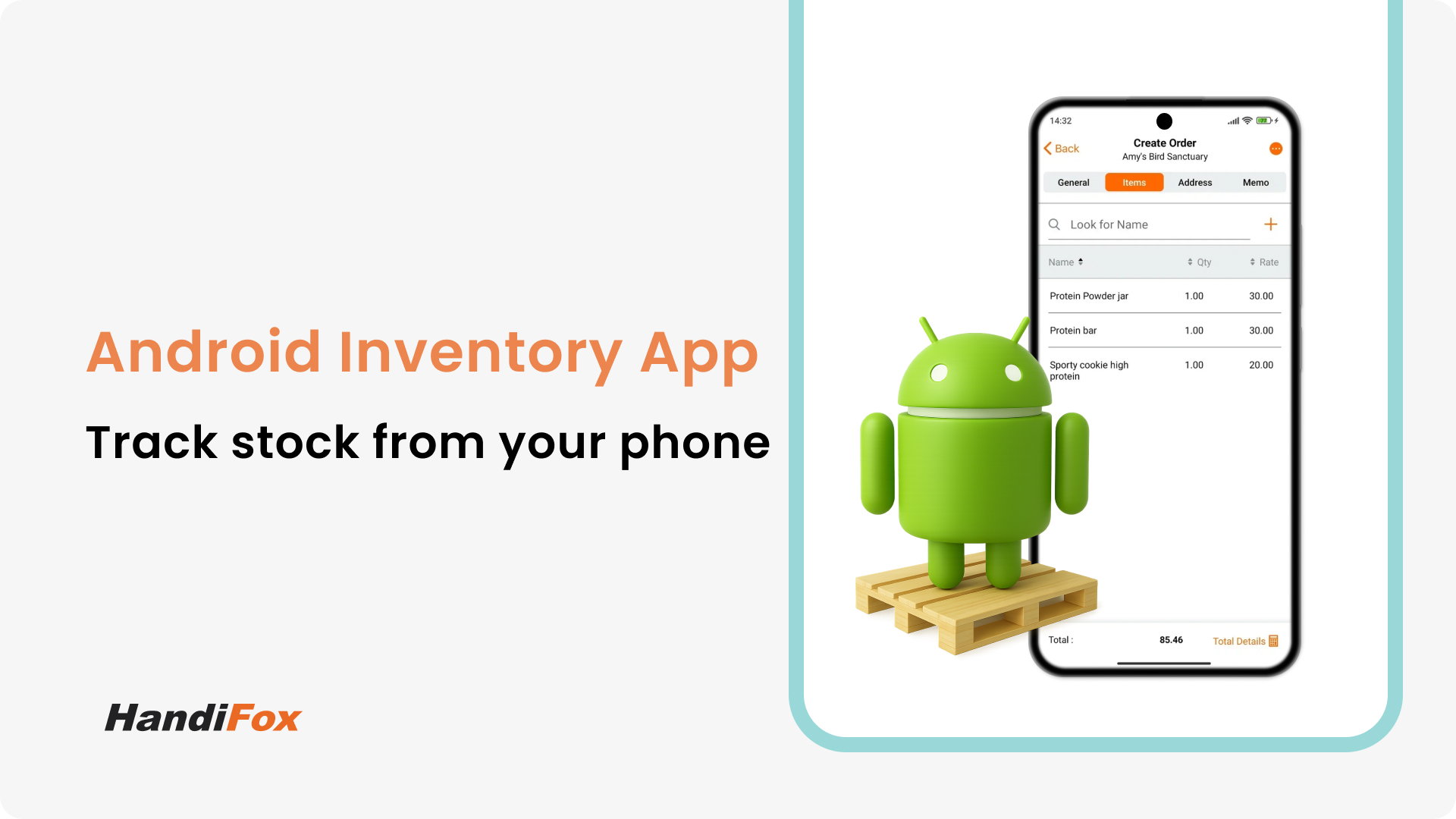
In 2026, the most effective tool for supply chain management is likely already in your pocket. An Android inventory app transforms a standard smartphone or rugged industrial device into a powerful scanner and data terminal.
In this guide, we will explore why moving your operations to an inventory management mobile application is essential for agility and how HandiFox turns your Android device into a powerhouse extension of QuickBooks.
Why Mobile Inventory Apps Are Essential
The old way of managing stock involved a lot of walking and waiting. You printed a list, walked to the warehouse, wrote down numbers, walked back to the office, and typed them in.
This latency kills efficiency. By the time you type in the data, it might already be outdated.
An inventory mobile application eliminates this gap. It puts the database in the hands of the people physically touching the product.
- Immediacy: Transactions are recorded the second they happen.
- Mobility: Staff can cover a 50,000 sq ft warehouse without ever returning to a computer station.
- Cost-Effectiveness: Android devices are affordable and widely available, lowering the barrier to entry for digital automation.
Explore the Ultimate Beginner’s Guide to Mobile Inventory Management.
How Android Inventory Apps Improve Flexibility and Accuracy
Switching to an inventory management app for Android is is about operational rigor.
Goodbye to Handwriting Errors
When a worker scribbles "7" on a clipboard, but the data entry clerk reads it as "1", your inventory accuracy takes a hit. With an app, there is no handwriting. You tap, scan, or enter numbers on a digital keypad.
Agility in the Field
For businesses with field sales teams or service technicians, an Android inventory app is a lifeline. A rep can check stock levels, place orders, and even issue invoices while standing right next to the client. They don't need to call the office to ask, "Do we have this in stock?"
Key Features to Look For
A professional inventory management mobile application should offer more than just a list of items. Look for these core capabilities:
1. Barcode Scanning
This is the most critical feature. Your app should use the device's camera or integrate with built-in laser scanners (on devices like Zebra or Honeywell) to scan items instantly. This is essential for accurate picking and packing and receiving.
Explore Best Barcode Scanners for Small Businesses.
2. Order Management
You should be able to create Purchase Orders (POs) and Sales Orders directly in the app. If you notice stock is low while walking the shelf, you should be able to initiate purchasing right there.
3. Real-Time Sync
The app must synchronize with your central database. If one user sells an item in the field, the warehouse team should see that stock reduction immediately.
Benefits for Warehouse Staff and Field Sales
The beauty of a robust inventory management app for Android is that it serves two very different masters: the warehouse manager and the salesperson.
For the Warehouse:
- Faster Receiving: Scan incoming goods against the PO to verify the shipment in minutes.
- Cycle Counting: Perform inventory counts by simply walking down the aisle and scanning, without shutting down operations.
For Field Sales:
- Mobile Invoicing: Create and email invoices to clients on the spot.
- Catalog Access: Show clients product images and current availability directly on a tablet.
Run inventory from any Android device
The HandiFox mobile app supports scanning, counts, receiving, and orders on Android for both HandiFox Online and HandiFox Desktop.
HandiFox: The Ultimate Android Inventory App
Unlike simple "list-making" apps, HandiFox is a deep extension of your accounting software.
- Hardware Compatibility: HandiFox runs beautifully on standard Samsung or Pixel phones, and teams also comparing an iPhone inventory app can evaluate the same workflows across platforms, but it really shines on enterprise Android scanners (like Zebra or CipherLab). This gives you the durability of a warehouse gun with the user-friendly interface of an app.
- Offline Capability: We know warehouses often have WiFi dead zones. The HandiFox Android inventory app allows you to continue working offline. The moment you regain connection, it syncs your data automatically.
Integration with QuickBooks for Mobile Invoicing
The real power of HandiFox lies in its integration. We don't just store data in the cloud; we sync it with QuickBooks (Desktop and Online).
When you use the HandiFox inventory mobile application to receive a shipment or create an invoice, that data flows directly into your QuickBooks file.
- No double data entry.
- No "sync errors" at the end of the day.
- Your accountant sees the financial impact of your inventory moves in real-time.
Whether you are managing a single stockroom or a fleet of delivery trucks, the ability to carry your entire inventory management system in your pocket is a game-changer.
Get the HandiFox Android Inventory App
If you are moving off a legacy Android app, this is also the point to standardize on a more modern mobile workflow.
Stop tethering your team to the desktop. Empower your workforce with the tools they need to be fast, accurate, and efficient.
Request a live demo or take HandiFox for a spin 14 days free of charge.