.svg)




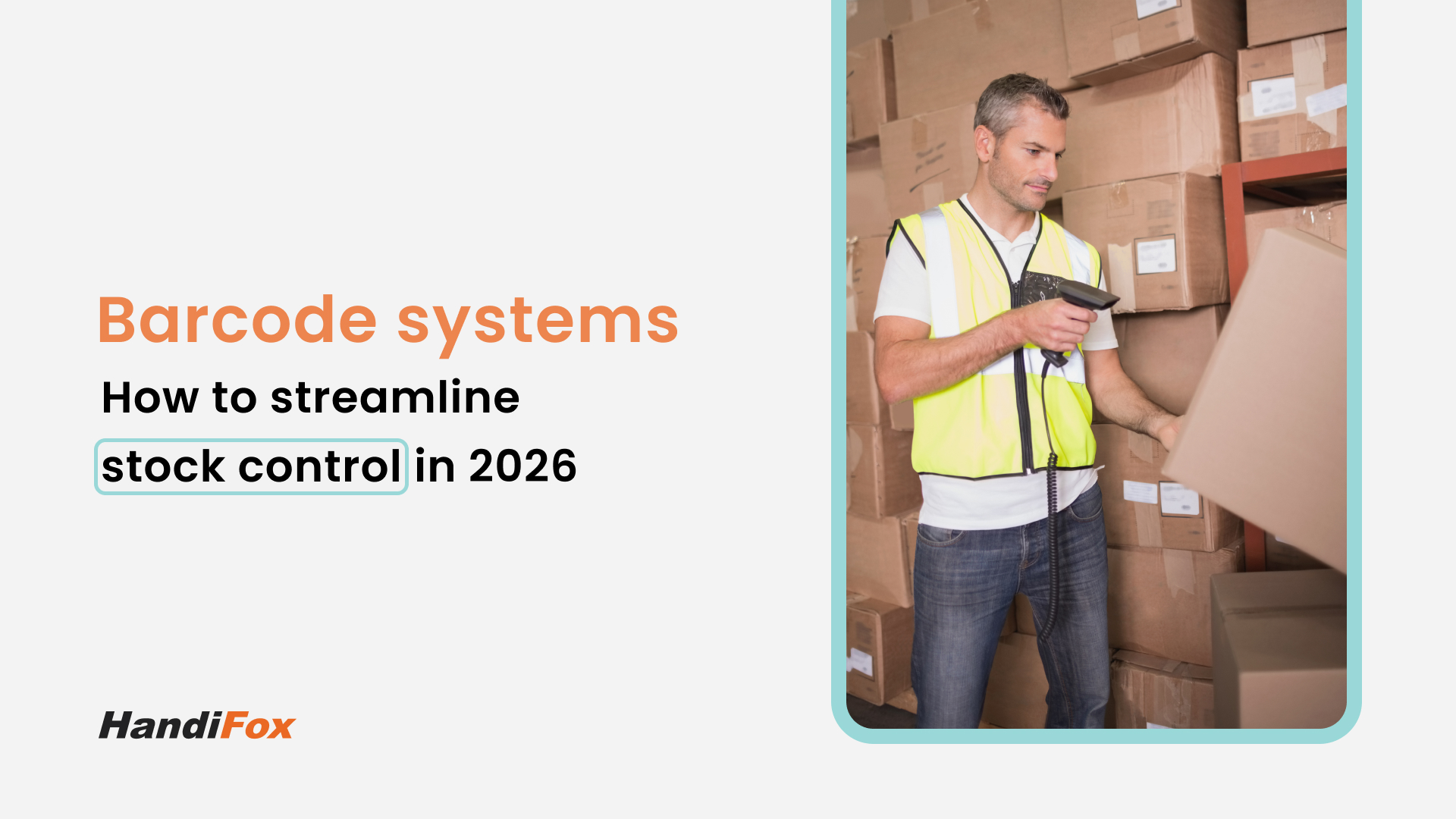
If you walk into a major distribution center like Amazon or Walmart, you will hear a specific sound: the constant, rhythmic beep of barcode scanners. That sound is the heartbeat of modern supply chain efficiency.
Now, walk into a typical small business warehouse. What do you hear? Often, it’s the sound of silence, broken only by the scratching of a pen on a clipboard or someone shouting, "Hey, do we have any more of item X?"
For years, small businesses believed that barcode inventory systems were too expensive or complex for their operations. They stuck to spreadsheets and manual counts, accepting that a certain amount of "inventory shrinkage" (loss) and shipping errors were just the cost of doing business.
In 2026, that logic will never hold up. The technology has become accessible, affordable, and essential.
If you are tired of shipping the wrong item to a customer or losing hours to data entry, it is time to upgrade. In this guide, we will break down how a barcode system for inventory works, how to set one up, and why it is the single most effective way to automate your warehouse.
What Is a Barcode Inventory System?
At its core, a barcode inventory system is a combination of hardware and software that automates the tracking of goods.
Instead of a human reading a product name ("Blue Widget, Size Medium") and typing it into a computer, the system reads a machine-readable code (the barcode). This code is instantly translated into alphanumeric data that your software understands.
But it is more than just reading lines on a sticker. A comprehensive system connects that scan to a specific action in your database:
- Receiving: Adding stock to your inventory count.
- Picking: Deducting stock for a sales order.
- Counting: Verifying physical quantities during an audit.
By bridging the physical world (your products) and the digital world (your QuickBooks file) with a simple scan, you eliminate the "translation gap" where most human errors occur.
How Barcode Systems Improve Speed and Accuracy
Why is a scanner so much better than a human eye? The answer lies in the data.
Studies show that manual data entry has an error rate of approximately 1 error for every 300 keystrokes. In a busy warehouse, that adds up to dozens of mistakes a week. Barcode scanning, by contrast, has an error rate of roughly 1 in 3 million scans.
Implementing a barcode system for inventory impacts your business in two critical ways:
1. Velocity (Speed)
Imagine receiving a shipment of 100 mixed items.
- Manual Way: You pick up an item, find the packing slip, search for the line item, check the box, and repeat. Then you walk to the office and type it all in.
- Barcode Way: You point and shoot. The scanner identifies the item instantly, updates the "Received" count, and moves to the next. What took hours now takes minutes.
2. Validation (Accuracy)
The most valuable feature of barcoding is verification. When a warehouse worker is picking and packing an order, the system acts as a fail-safe. If the order calls for a "Red Shirt" and the worker scans a "Blue Shirt," the device instantly buzzes and displays an error. The mistake is caught at the shelf, not by the customer.
Key Components of a Barcode Ecosystem
To build a functional system, you need three main components working in harmony.
1. The Barcodes (Labels)
These are the identifiers attached to your products. Most businesses use standard symbologies like UPC (Universal Product Code) or EAN. However, you can also use Code 128 or QR codes for internal tracking.
Note: Your system should be able to generate and print these labels if your products don't come from the manufacturer with barcodes already attached.
2. The Hardware (Scanners)
In the past, this meant buying expensive, proprietary "rugged" guns. Today, you have options:
- Enterprise Scanners: Devices like Zebra or Honeywell are great for high-volume, rugged environments.
- Mobile Devices: Modern barcode inventory systems like HandiFox allow you to use standard Android or iOS smartphones. You can use the built-in camera or pair a Bluetooth scanner for faster throughput.
3. The Software (The Brain)
This is the most critical piece. The software receives the data from the scanner and updates your inventory management records. Crucially, for small businesses, this software must integrate with your accounting platform (like QuickBooks) to ensure your financial data matches your physical stock.
How to Set Up a Barcode System for Inventory
Transitioning from manual tracking to barcoding might seem daunting, but it can be broken down into manageable steps.
Step 1: Standardize Your SKUs
Before you print a single label, ensure your Stock Keeping Units (SKUs) are clean in your database. Avoid duplicate items or vague descriptions. Every unique product variation (size, color) needs a unique SKU.
Step 2: Label Everything
If your products arrive with UPCs, great—you just need to map those UPCs to your items in your software. If you manufacture goods or buy generic parts, you will need to print your own labels.
Pro Tip: Look for software that allows you to print labels directly from a mobile device or purchase order screen.
Step 3: Choose Your Hardware
Decide if you want to equip your team with dedicated scanners or let them use company smartphones. If you choose smartphones, ensure your warehouse has decent Wi-Fi coverage, or choose software that works offline.
Step 4: Train Your Team
A barcode system for inventory is only as good as the people using it. Train your staff not just on how to scan, but when to scan. Every movement of goods (receiving, transferring, picking) must be accompanied by a scan.
Benefits for Small Businesses
For a small business operating on thin margins, the ROI of barcoding is often realized within the first few months.
- Reduced Labor Costs: Automated data entry means you don't need to pay someone to manually input sales orders or receipt logs.
- Real-Time Visibility: You know exactly what you have. This precise data allows for smarter purchasing, preventing you from tying up cash in excess stock.
- Professionalism: When you can tell a customer, "Yes, I have that in stock," and then ship it with 100% accuracy, you build trust.
- Scalability: Barcoding is the language of growth. If you want to sell to big retailers or expand to Amazon FBA, barcoding is a requirement, not an option.
HandiFox: A Complete Barcode Inventory System
HandiFox was designed to bring the power of enterprise barcode inventory systems to small and mid-sized businesses using QuickBooks.
We don't just add a scanning feature; we transform your entire workflow.
Seamless Integration
HandiFox acts as a mobile extension of QuickBooks (Desktop or Online). When you scan an item to receive it, your inventory asset account in QuickBooks is updated automatically.
Mobile Power
With our app, you can turn any Android or iOS device into a powerful data terminal.
- Scan to Count: perform cycle counts in a fraction of the time.
- Scan to Pick: Verify every item before it goes in the box.
- Scan to Pack: Automatically generate packing slips based on scanned items.
Simplify Your Stock Control
You don't need a million-dollar budget to have a professional supply chain. You just need the right tools.
Moving to a barcode system for inventory is the smartest operational investment a product-based business can make. It stops the guessing, stops the errors, and lets you focus on growing your business.
Request a personal demo and see how barcoding can work for you.