
Hot July Sale: Up to 35% Off HandiFox Online and HandiFox Deskop →

Talk to our experts

Questions, concerns, suggestions? Don’t keep them bottled up. Contact our technical support at support@handifox.com (for HandiFox Desktop users) or support@handifox.online (for HandiFox Online users).

FAQ

What is the right fit for me: HandiFox Desktop or HandiFox Online?
The choice comes down to whether you’re using QuickBooks Desktop or QuickBooks Online

HandiFox Desktop integrates seamlessly with QuickBooks Desktop, yet offers mobility with its mobile app.

HandiFox Online is integrated with QuickBooks Online, allowing you to manage inventory, purchasing, and sales from anywhere.

Do you sell hardware?
No, hardware sales aren’t our focus. However, we can connect you with leading experts in barcode scanning equipment and mobile computers. Feel free to explore our free Best Barcode Scanners guide.
What mobile platforms are supported?

HandiFox Desktop supports Android devices for operations outside the office.

HandiFox Online offers two native apps - for Android and iOS devices.

Check our System Requirements for recommended device models and OS versions.
Is technical support included?

Technical support for HandiFox Desktop is not included in the price of the perpetual license. Contact sales@handifox.com for annual support or hourly rates.

HandiFox Online users receive technical support at no extra cost, with support channels varying based on the subscription plan. Check the pricing.

How long does it take before I get the hang of the software?
From our users' experience, the average adoption time ranges from 1 to 2 months, depending on their level of engagement.
Can I run HandiFox without integrating with QuickBooks®?

HandiFox Desktop requires integration with QuickBooks Desktop.

HandiFox Online can operate in standalone mode without activating integration with QuickBooks Online.

Can somebody help me deploy HandiFox at my company?
Absolutely. Reach out to our support team at support@handifox.com (for HandiFox Desktop) or support@handifox.online (for HandiFox Online)
On what conditions are upgrades provided?

If you are a HandiFox Desktop user, you must have a current support package to receive upgrades. The link to the upgrade should be emailed to you along with the upgrading instructions.

HandiFox Online users receive free and automatic updates.

How can I use more handheld devices than defined in the license/subscription plan?

To connect more handheld devices to your HandiFox Desktop, you must pay for these additional devices and request a new license from the support team. When you get the new license, apply it to the system. No data is affected by this action.

To start using more mobile devices with your current HandiFox Online subscription, contact sales@handifox.com for a custom upgrade of your plan.

Does HandiFox integrate with any e-commerce platforms?

HandiFox Desktop can work with e-commerce platforms through QuickBooks Desktop or third-party platforms like Webgility.

System Requirements

HandiFox Desktop

Hardware requirements

Operating system:

Microsoft Windows XP/Vista/7/8/10/11

Microsoft Windows Server 2003 /2008 /2008R2 /2012 /2012R2 /2016 /2019/2022

Recommended System configuration:

At least a 2.0GHz processor

At least 1GB of RAM

512 MB of disk space

QuickBooks®:

QuickBooks: Pro, Premier, Accountant, Enterprise 2008-2024 (US)(the latest available), 2009-2024 (CA), 2009-2021 (UK)

HandiFox Online

Hardware requirements

For integration with QuickBooks Online:

QuickBooks Online Plus, Advanced (ALL WORLD)

Any Android/iOS phone or tablet

HandiFox Online

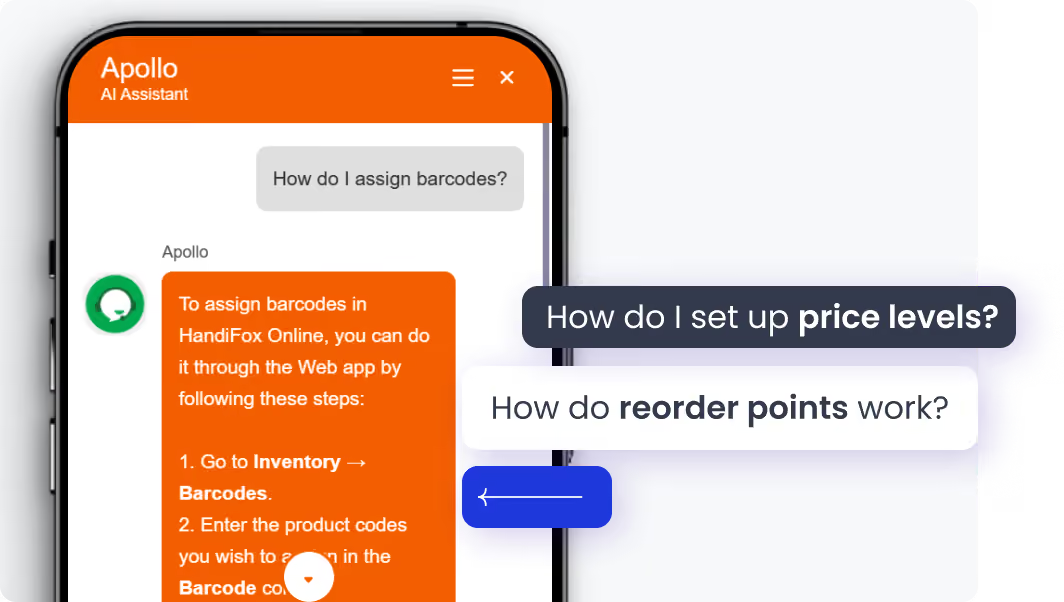
Jumpstart with AI in inventory management automation

Get help without leaving HandiFox. The built-in AI assistant helps you find answers to setup and workflow questions in plain language, right inside the app.

Instant onboarding support

Real-time task guidance

Fewer errors, faster execution

No manuals. No guesswork. Just answers.

Knowledge base

HandiFox Desktop Wiki

HandiFox Desktop wiki

The most complete source of information and tutorials on HandiFox Desktop

Handifox Online Help Hub

HandiFox Online Help Hub

A hands-on guide on HandiFox Online for all the how-to questions

HandiFox Youtube tutorials

YouTube tutorials

HandiFox feature tours, how-to tutorials, live webinars, and case studies

Sizzling July savings!
Get up to 35% off HandiFox Online and HandiFox Desktop.
Save now