.svg)




For small businesses, inventory management often becomes complicated far sooner than expected. A company may start with a small product list and a few shelves of stock, but over time orders increase, more items are added, and customers expect fast, accurate fulfillment. What used to be manageable through spreadsheets quickly becomes stressful and time-consuming.
This is where “simple” inventory management software comes into the picture. But simple does not mean limited or basic in a negative way. It means software that removes friction, reduces errors, and gives small teams the ability to manage stock with confidence, much like small-business stock management software, without needing a dedicated IT department or a complex enterprise solution.
In this article, we break down what “simple” really means in the context of inventory software, why small businesses benefit from streamlined tools, and what features matter most when choosing a system that is easy to use but powerful enough to grow with the business.
What Defines a “Simple” Inventory Management System
A simple system is not a stripped-down version of a complex tool. Instead, it is one designed around the workflow of a small business. The features are purposeful, the interface is clean, and tasks can be completed without unnecessary steps.
The key qualities include:
Clear, Easy-to-Navigate Interface
Users should instantly understand where to find items, create adjustments, or check stock levels. If every action takes multiple menus or unclear navigation, the system becomes frustrating rather than helpful.
Fast Item Setup
Adding products, assigning SKUs, and organizing categories should take minutes, not hours. A small business cannot afford long setup cycles each time a new item is introduced.
Mobile-Friendly Workflows
Simple software supports mobile devices, allowing teams to perform counts, transfers, and receiving tasks directly in the warehouse or on the sales floor. This removes the need to walk back and forth to a desktop every time a quantity needs updating.
Straightforward Reporting
Small businesses do not need complex custom dashboards to interpret data. They need clear snapshots: stock on hand, low-stock alerts, movement history, and basic forecasting indicators.
Reliable Integrations
A simple system still needs to work with the tools the business already uses. QuickBooks integration is especially important because it keeps financials and inventory aligned without manual reconciliation.
Key Features to Look For
A system can be simple while still offering a strong set of features. The goal is not to eliminate functionality but to deliver it in a way that supports small business workflows.
Barcode Scanning
Barcode scanning speeds up the most repetitive tasks: receiving, picking, counting, and transferring items. It eliminates typing errors and ensures the same process is followed every time. This brings consistency to busy teams, especially in warehouses or retail environments.
Recommended reading: Barcode Scanner Inventory Management Explained
Simple, Clear Reporting
Small businesses benefit from reports that show exactly what they need to know without overwhelming detail. Stock levels, discrepancies, slow-moving items, and reorder alerts help managers stay ahead of demand and make informed purchasing decisions.
Check out 9 Reports in HandiFox Online and Their Significance
QuickBooks Integration
QuickBooks is widely used for accounting, but it has limited inventory features. Integration with an inventory tool expands its capabilities while keeping financial data accurate. Instead of entering information twice or fixing mismatches, teams work from one consistent source of truth.
Learn more: HandiFox + QuickBooks Integration
Mobile Inventory Management
Mobile tools allow staff to complete tasks on the go. They can receive shipments at the dock, scan items during cycle counts, or adjust quantities directly from the warehouse floor. This agility helps small teams stay organized even during busy periods.
Learn more: Mobile Inventory Management Guide
Cloud vs. On-Premise Options
Choosing between cloud and on-premise software depends on the business’s needs and technical comfort level.
Cloud solutions are popular among small businesses because they require no server setup, update automatically, and are accessible from any device. They fit businesses that want a low-maintenance system without managing hardware or installations.
On-premise software gives companies more control over their infrastructure but also requires IT involvement, manual updates, and higher upfront costs. Small teams often find that cloud tools offer the right balance between simplicity and functionality.
How HandiFox Combines Simplicity With Enterprise-Grade Reliability
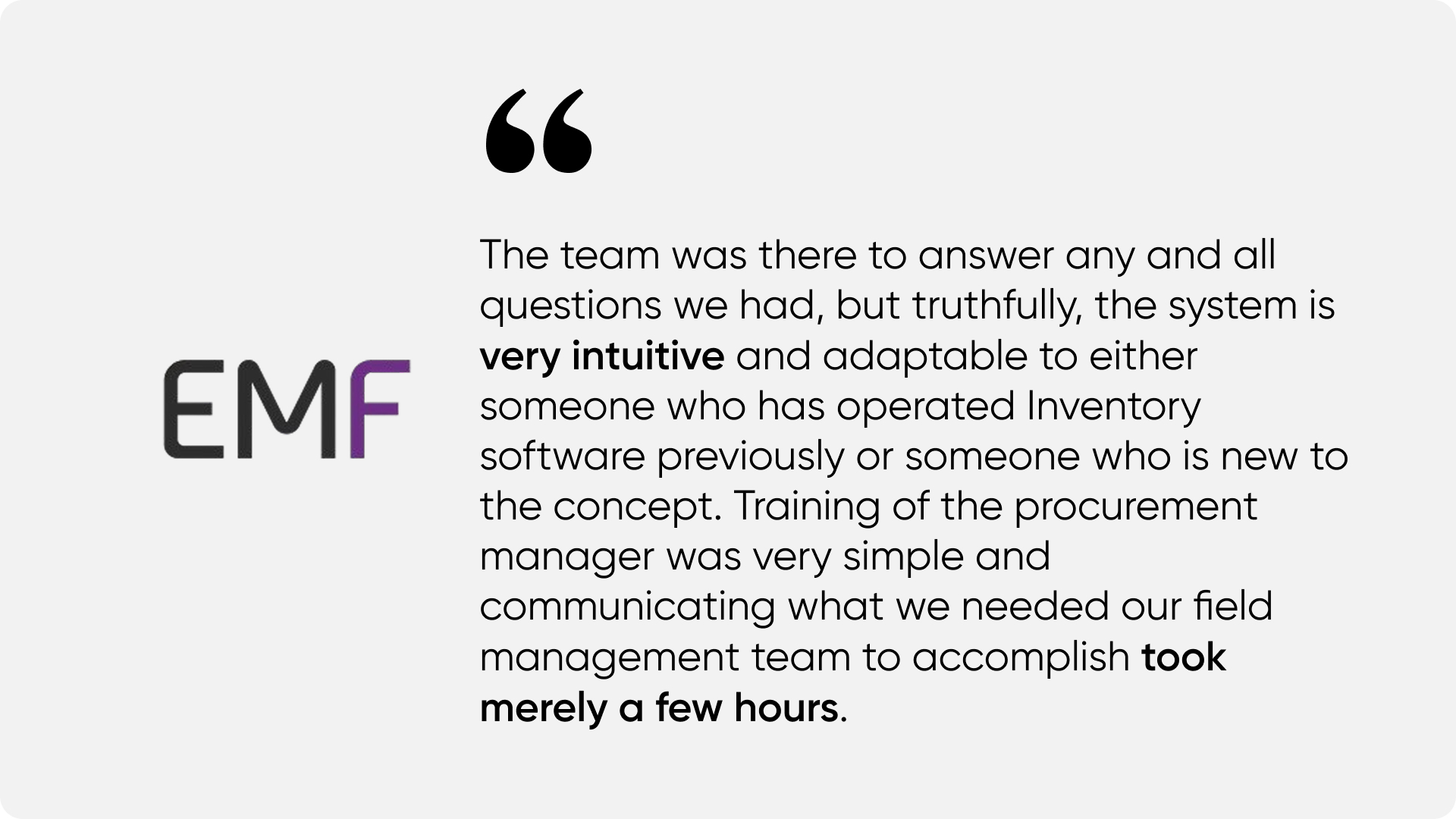
HandiFox is designed specifically for small and midsize businesses that need real inventory tools without the complexity of enterprise systems. Its interface is simple to navigate, yet it supports advanced features such as barcode scanning, mobile workflows, QuickBooks integration, and multi-location tracking.
The strength of HandiFox lies in how these features are delivered. They are packaged in clean, straightforward workflows that do not overwhelm users. Employees can complete tasks in fewer steps, managers gain real-time visibility, and the entire team benefits from consistent, reliable data.
Real-World Example: How Easy Mile Fitness Simplified Inventory and Scaled With Confidence
Easy Mile Fitness began as a small local gym operating from a single location. As the business expanded and opened new branches, managing equipment, supplements, and retail products became increasingly complex. Inventory was tracked manually, which led to missing items, inconsistent stock counts, and slow restocking cycles.
With growth came the need for a system that was simple, reliable, and easy for staff to learn. After adopting HandiFox, the team gained a centralized inventory process that worked seamlessly across all their locations. Mobile scanning helped trainers and managers track items instantly, while QuickBooks integration kept financial data aligned without extra steps.
HandiFox helped Easy Mile Fitness eliminate manual errors, maintain accurate inventory, and scale from one location to more than fifty sites without losing visibility or control. Their success shows how a simple, intuitive system can support rapid growth while keeping daily operations efficient.
Case study: Easy Mile Fitness – Scaling From 8 to 53 Locations With HandiFox
Conclusion
A simple inventory management system is more than an easy interface. It is a tool that reduces friction, speeds up daily work, and helps small businesses maintain accurate stock without added complexity. The right system supports mobile tasks, integrates with QuickBooks, eliminates manual entry, and gives teams the confidence of real-time data.
HandiFox delivers this combination of simplicity and reliability. It gives businesses straightforward workflows backed by powerful features, allowing them to control inventory effectively while keeping operations lean and organized.
Get up to 40% off HandiFox Online until December 30.