.svg)




Getting barcodes for your products doesn’t have to be complicated. Here’s how free barcode generators work, which tools are worth considering, and what to know before using barcodes for inventory and product labeling.
Key takeaways
- You don’t need to pay to start using barcodes internally. Free tools and barcode formats like Code 39 or Code 128 allow SMBs to implement barcoding for inventory management without upfront costs.
- Retail barcodes (UPC/GS1) and internal barcodes serve different purposes. UPC/GS1 codes are required for selling through major retailers, while internally generated barcodes are sufficient for warehouse and stock control.
- Free barcode generators work, but don’t scale well. Tools like TEC-IT, Excel, or mobile apps are useful for small catalogs or one-off needs, but become inefficient and error-prone as inventory grows.
- Integrated systems turn barcodes into operational tools. Platforms like HandiFox don’t just generate barcodes - they link them directly to inventory records, enabling real-time tracking and workflow automation.
- The real value of barcoding comes from system integration. When barcode scanning connects with inventory and accounting systems (like QuickBooks), it eliminates manual entry, improves accuracy, and supports scalable operations.
Managing a growing small business means eventually moving past manual spreadsheets. If you are wondering how to get barcodes for your products, you have likely reached the point where "eyeballing" your stock is no longer sustainable.
In our experience helping small and mid-sized businesses (SMBs) across the USA, the transition to barcoding is often stalled by the perceived cost. However, you don't need a massive enterprise budget to start.
How to Get a Barcode for a Product?
Getting a barcode for a product means assigning a unique scannable code to an item so it can be tracked, identified, and processed in your inventory system.
You can get a barcode for a product by either generating an internal barcode using free tools or purchasing a UPC/GS1 code for retail use.
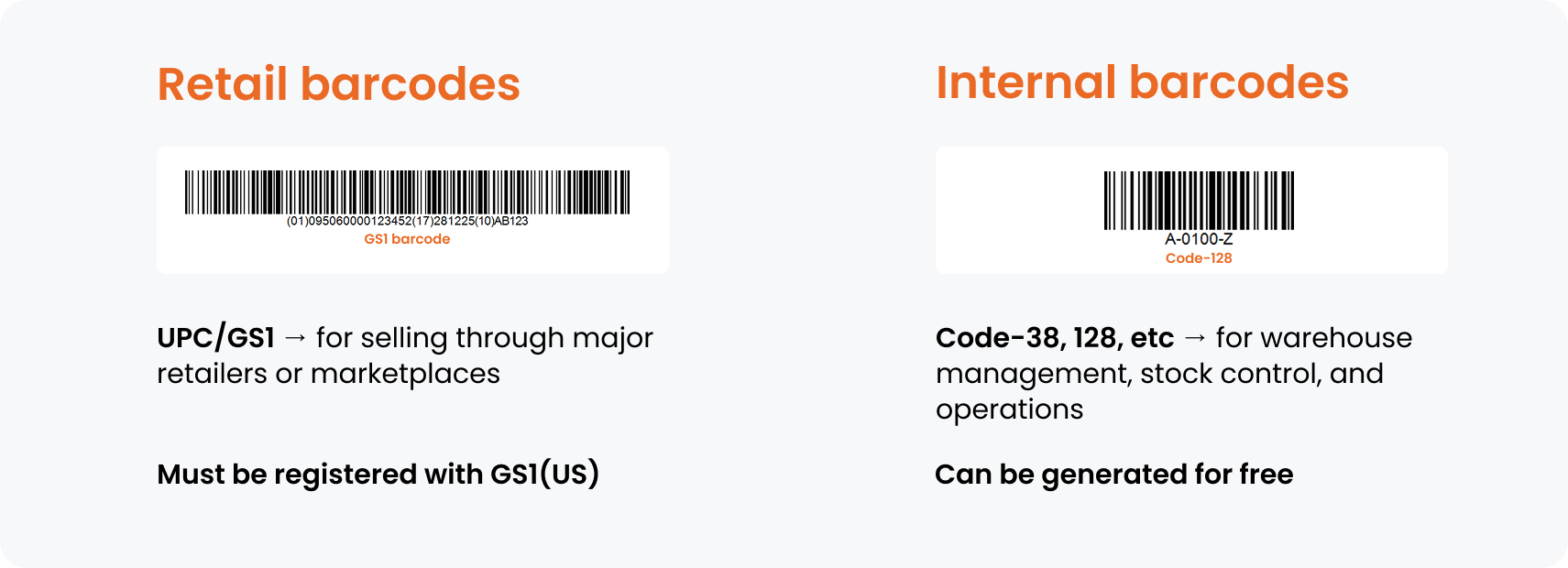
To sell in major retail stores (like Walmart or Target) or on marketplaces like Amazon, you must typically license unique numbers from GS1 US. Major retailers verify that the company prefix in your barcode is registered to your business in the GS1 database.
If you only need barcodes for internal inventory management within your own store or warehouse, you can use free symbologies like Code 39 or Code 128. These can be generated by using free online barcode generators or simply Excel.
Let’s explore 5 free options for generating barcodes for internal use.
1. HandiFox Online: The Two-Click Bulk Barcode Generation
For businesses that need more than just a picture of a barcode, HandiFox offers the most practical path. While a full system is a paid investment, you can utilize the free 14-day trial to generate barcodes for your entire catalog instantly.
How to generate barcodes for your products using HandiFox
You can upload your product list to HandiFox Online, select products that need barcodes and click Generate barcodes. It’s literally two clicks:

If products come barcoded from your supplier, you can simply record their existing barcodes by scanning them in (assuming you have a barcode scanner).
Because HandiFox is a comprehensive barcoding system, it doesn't just give you an image; it assigns the code to the product record in your inventory management database.
You can then print these labels directly to a thermal printer or a standard office printer. This method ensures your stock control is automated from day one.


2. TEC-IT: Online Barcode Generator
If you only have a dozen items and need a quick fix, online generators like TEC-IT are excellent. These tools allow you to type in a SKU or serial number and download a high-resolution PNG or SVG file.
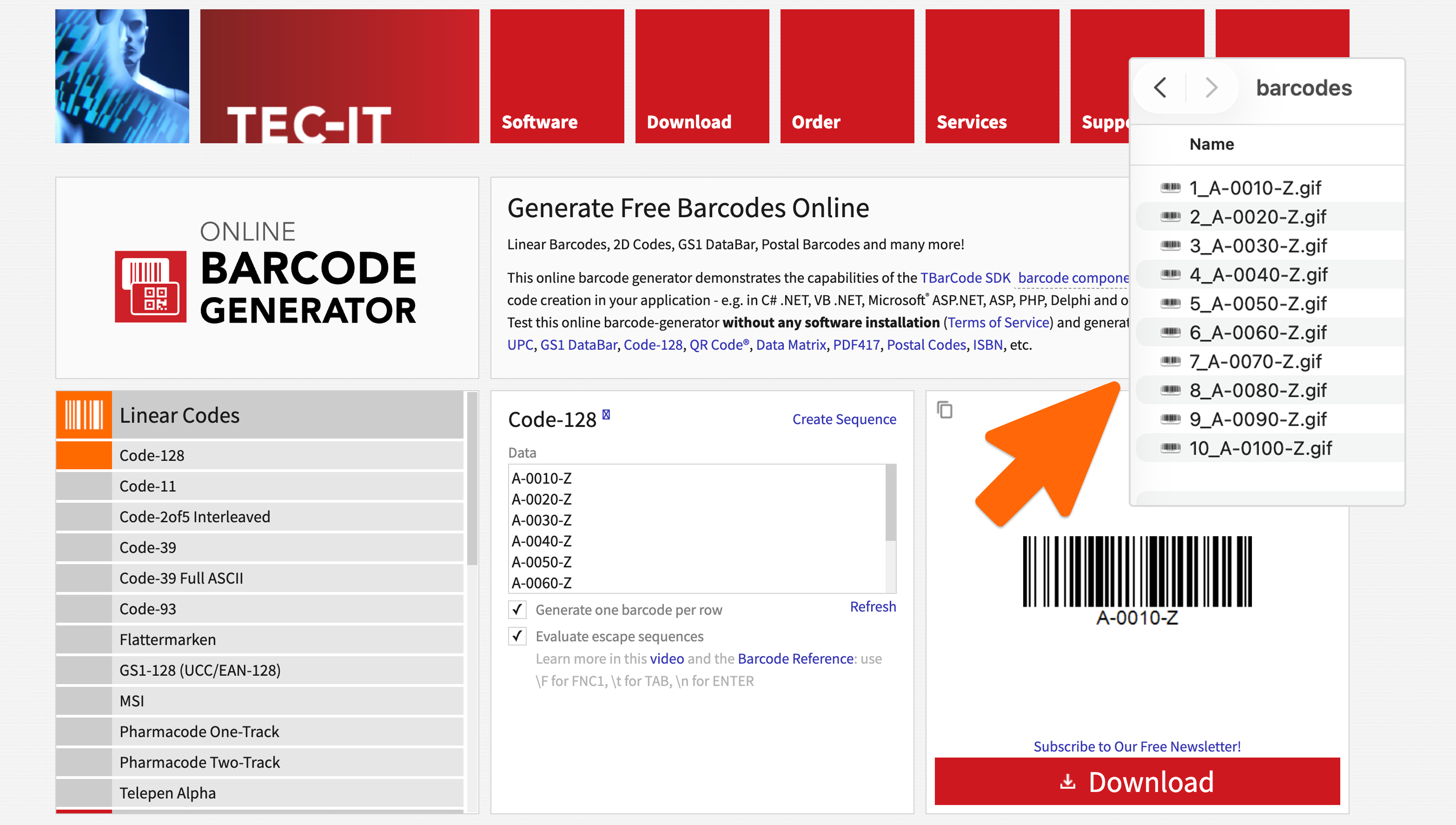
TEC-IT allows generating up to 10 barcodes at once for unregistered users. If you want to skip this extremely manual process, you can purchase a yearly subscription that starts at $199/year (for up to 500 barcodes per month).
3. Microsoft Excel or Google Sheets
Many SMBs don't realize they can turn a spreadsheet into a barcode generator using "Barcode Fonts" (like Code 39 or Code 128).
Here’s how it works: You download a barcode font, install it on your computer, and change the font of your Barcode column to the barcode style.

Note! This requires precise formatting (like adding asterisks before and after the code) to ensure the iOS/Android scanner can actually read it.

Despite the zero investment, this option comes with a few compromises:
- You can’t easily turn those into barcode labels (with price, product description, etc)
- You have to adjust rows and font size so they’re readable and printable
- It is prone to human error.
4. Shopify’s Free Barcode Generator
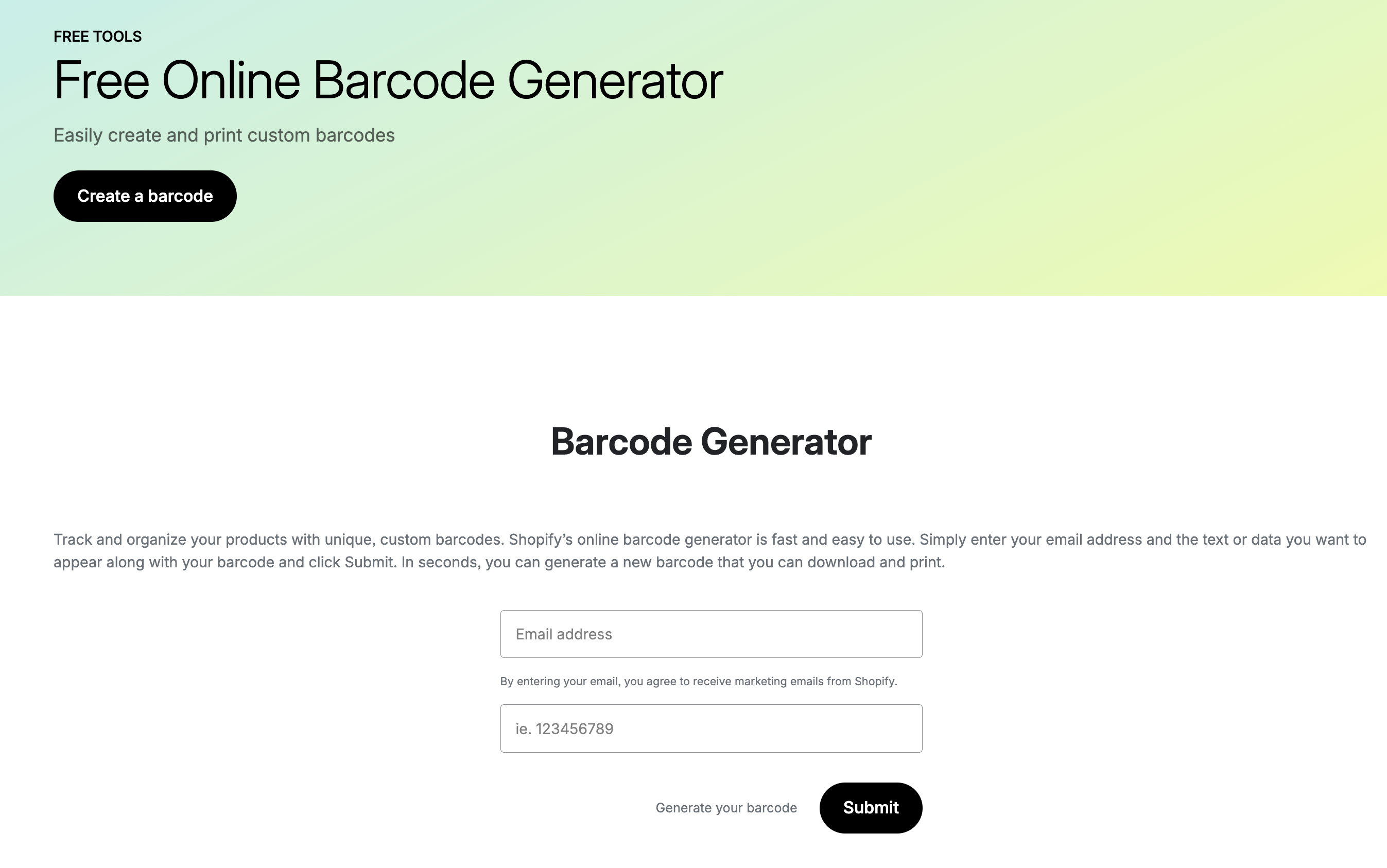
If you are already utilizing Shopify integration for your storefront, Shopify offers a simple, free web-based tool. You enter your email and the text you want to encode, and they email you the barcode.
Like the online generators, this is a "one-off" tool meant for small batches rather than automate warehouse workflows.
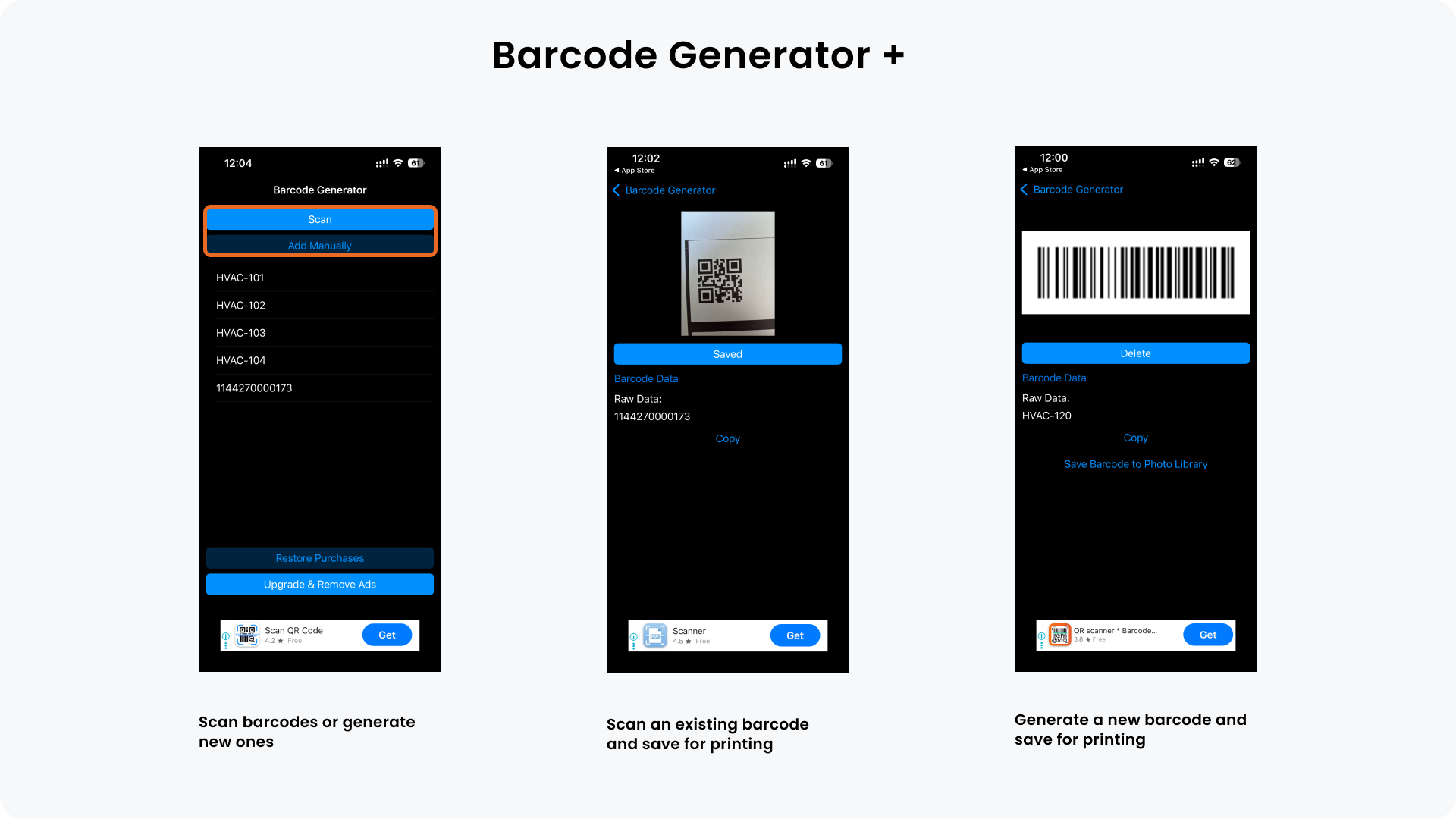
5. Mobile Barcoding Apps: Barcode Generator+
There are several free apps on the App Store and Google Play that allow you to generate a barcode on your phone and "share" the image to your Photo Library or email. This is useful for "on-the-fly" labeling in a small stockroom.
Barcode Generator + is a free mobile barcode generator that records existing barcodes or generates new ones.
Free Barcode Methods - Quick Comparison
Not all barcode generation methods are built for the same purpose. Some are useful for quick, one-off labeling, while others are designed to support ongoing inventory operations. Here’s how each option fits in practice:
- HandiFox Online (Free Trial): Best for businesses that need barcodes to work inside real inventory workflows; not ideal if you only need a quick, one-off barcode image.
- TEC-IT Online Generator: Best for generating a small number of barcodes quickly; not suitable for large catalogs or ongoing operational use.
- Excel / Google Sheets: Best for small, structured SKU catalogs; not a good fit for fast-moving inventory or environments with multiple users.
- Shopify Barcode Generator: Best for Shopify users creating simple labels; not designed for warehouse operations or inventory workflows.
- Mobile Barcode Apps: Best for quick, on-the-go barcode creation; not reliable for scaling inventory management or structured processes.
Integrating Barcodes with Your Current Workflow
Learning how to get your products barcoded is the first step toward professionalizing your business operations. While free online generators are a great starting point for startups, growing brands need the speed and reliability of an integrated system.
Ideally, the goal is to have that barcode talk to your inventory and accounting systems. When a picker scans an item using an inventory app, the data should drop in QuickBooks immediately. This real-time sync prevents overselling and simplifies stock control across multi-location setups.
Explore how to get started with barcodes processes: How to Set Up Barcodes the Right Way: A Practical Guide for Inventory Software Users
Take your barcoding up a notch
Don't let manual inventory hold your business back. You can start barcoding your entire warehouse today without any upfront software costs.
Start a free 14-day HandiFox trial and generate barcodes for your entire product catalog in minutes, then test them in real inventory workflows.